
Key facts
- Manuals
- 11
- Languages
- EN · ZH
- Last added
- 2026-10-23
Featured SolarEdge manuals
SolarEdge Installation Guide MAN-01-00002-1.7
This document serves as an installation guide for the SolarEdge system, providing instructions for installing power optimizers, inverters, and AC/DC safety switches. It details the system components, including the SolarEdge Power Optimizer, Inverter, and Monitoring Portal, and outlines the workflow for setting up communication between these devices.
Covers: Handling and Safety Instructions · System Overview · Installing the Power Optimizers · Installing the Inverter · Installing the AC/DC Safety Switch · Commissioning the Installation
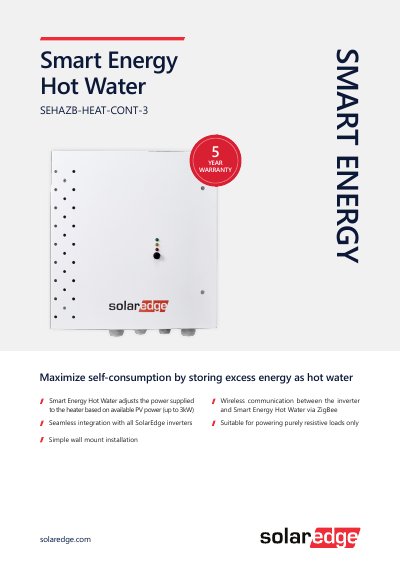
SolarEdge SEHAZB-HEAT-CONT-3 Smart Energy Hot Water Controller
The SolarEdge SEHAZB-HEAT-CONT-3 is a Smart Energy Hot Water controller designed to maximize self-consumption by storing excess energy as hot water. It adjusts the power supplied to the heater based on available PV power, supporting loads up to 3 kW. The device features wireless communication with the inverter via ZigBee and is suitable for powering purely resistive loads only.
Covers: Electrical Service · Communication · Standard Compliance · Installation Specifications
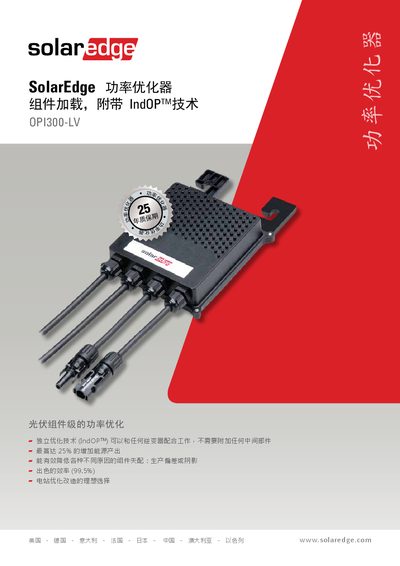
SolarEdge OPI300-LV Power Optimizer Product Leaflet
The SolarEdge OPI300-LV is a power optimizer designed for photovoltaic (PV) module-level power optimization. It utilizes Independent Optimization Technology (IndOPTM) to work with any inverter without requiring additional intermediate components. The device is capable of increasing energy yield by up to 25% and effectively reduces issues caused by module mismatch, such as production deviations or shading. It features an outstanding efficiency of 99.5% and serves as an ideal choice for optimizing existing power stations. This manual is written in Chinese.
Covers: Power Optimizer · IndOPTM Technology · Energy Yield Increase · Module Mismatch Reduction · Technical Specifications · Installation Requirements
SolarEdge Prism Technology Single Phase Energy Hub Inverter Backup Interface Installation Guide
This guide explains how to install and connect the Backup Interface for SolarEdge's Single Phase Energy Hub Inverter with Prism Technology. It covers mounting, wiring to the grid and inverter, and system configuration. The Backup Interface enables grid-tied backup power and smart energy management with batteries. Safety precautions and handling instructions are included to ensure proper installation and operation.
The guide includes detailed steps for installing the conduit holder, connecting to the AC loads panel, and integrating with the inverter. It also covers troubleshooting, LED indicators, and optional components like external CTs and rapid shutdown switches. Revision history notes updates to torque values and communication cable requirements.
Covers: Overview · Installation Equipment List · Installing and Connecting the Backup Interface · System Configuration · Troubleshooting · System Performance LED Indication
Latest SolarEdge manuals
SolarEdge Installation Guide MAN-01-00002-1.7
Installation Guide 30 pages · 916 KB · ENThis guide covers the installation, commissioning, and configuration of SolarEdge power optimizers, inverters, and AC/DC safety switches for PV systems.
SolarEdge SEHAZB-HEAT-CONT-3 Smart Energy Hot Water Controller
Product Leaflet 2 pages · 377 KB · ENA wall-mounted controller that maximizes self-consumption by adjusting heater power based on available PV energy up to 3kW.
SolarEdge OPI300-LV Power Optimizer Product Leaflet
Product Leaflet 2 pages · 433 KB · ZHA product leaflet for the SolarEdge OPI300-LV power optimizer featuring IndOPTM technology, 99.5% efficiency, and compatibility with various inverters.
SolarEdge Prism Technology Single Phase Energy Hub Inverter Backup Interface Installation Guide
Installation Guide 29 pages · 553 KB · ENInstallation guide for SolarEdge's backup interface with Prism Technology, for grid-tied solar backup and battery management.
SolarEdge Key User Guide
User Manual 91 pages · 2.7 MB · ENThis manual provides operating instructions, safety guidelines, and troubleshooting steps for the SolarEdge Key device used with PV strings.
SolarEdge Energy Meter with Modbus Connection Installation Guide
Installation Guide 59 pages · 1.3 MB · ENInstallation guide for the SolarEdge Energy Meter with Modbus Connection, covering setup, wiring, configuration, and troubleshooting for Europe, APAC, and…
SolarEdge StorEdge Inverter Wiring Guide and On Site Checklist
User Manual 41 pages · 2.5 MB · ENThis guide provides wiring instructions and an on-site checklist for connecting LG Chem RESU7H/RESU10H batteries to the SolarEdge StorEdge Inverter.
SolarEdge Monitoring Platform User's Guide
User Manual 25 pages · 2.1 MB · ENThis guide explains how to register, log in, and use the SolarEdge Monitoring Platform to track photovoltaic site performance.
SolarEdge Three Phase Inverter with Synergy Technology Installation Guide
Installation Guide 88 pages · 9.8 MB · ENInstallation guide for the SolarEdge Three Phase Inverter with Synergy Technology, covering system components, mounting, wiring, and commissioning for…
SolarEdge Three Phase System Installation Guide North America Version 4.3
Installation Guide 128 pages · 6.2 MB · ENThis guide provides detailed installation instructions for SolarEdge three-phase inverter systems in North America, covering power optimizers, inverters…
SolarEdge StorEdge Solution with Backup Installation Guide
Installation Guide 154 pages · 3.8 MB · ENThis guide covers the installation, commissioning, and configuration of the SolarEdge StorEdge Solution with Backup system for North America.
Which document do I need?
Installation Guide
Mounting, wiring and first power-up. Read it before the hardware goes in.
User Manual
Day-to-day operation, settings and troubleshooting. Start here if the product is already set up.
Questions answered in SolarEdge manuals
What is the maximum Overcurrent Protection Device (OCPD) rating for the AC branch circuit?
The unit must be connected to a dedicated AC branch circuit with a maximum Overcurrent Protection Device (OCPD) of 40 A.
What is the minimum temperature rating required for the conductors used?
You must use only copper conductors rated for a minimum of 90 °C.
What is the maximum supported load size?
The maximum supported load size is 3 kW.
From: SolarEdge SEHAZB-HEAT-CONT-3 Smart Energy Hot Water Controller
What type of loads is this device suitable for?
It is suitable for powering purely resistive loads only.
From: SolarEdge SEHAZB-HEAT-CONT-3 Smart Energy Hot Water Controller
Can it be used with non-SolarEdge inverters?
Yes, it can work with any inverter without additional intermediate components.
What is the maximum rated DC input power for the OPI300-LV?
The device has a rated DC input power of 300 W.