
The Reton IP-101 User Manual explains remote management setup, network configuration, and switching methods for the IP KVM device.
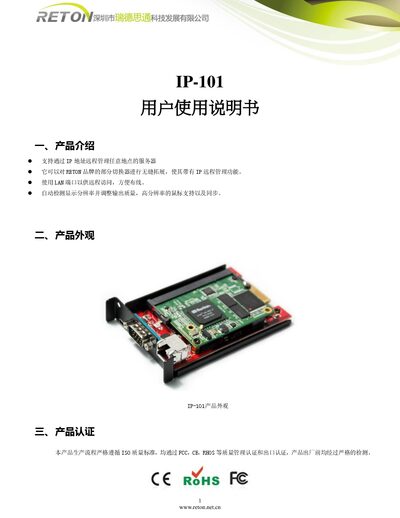
The IP-101 is a remote‑management KVM device that allows administrators to control servers over an IP network. It connects via a LAN port, automatically detects display resolution, and supports high‑resolution mouse operation.
The manual covers product overview, appearance, certifications, connection diagram, step‑by‑step usage instructions, network settings, remote control operation, switching methods for various KVM hosts, and company information. This manual is written in Chinese.
| Default IP address | 192.168.0.70 |
|---|---|
| Default username | super |
| Default password | pass |
| Network interface | LAN port |
| Certifications | FCC, CE, RHOS, ISO |
| Mouse support | High‑resolution mouse supported |
| Resolution handling | Auto‑detects and adjusts display resolution |
Open the device’s settings, select “Device Settings → Network”, and modify the IP address, subnet mask, and gateway to the desired values.
Install the Java plug‑in provided on the supplied CD or download and install it from the internet.