
Key facts
- Manuals
- 7
- Models
- 2
- Languages
- ZH
- Last added
- 2026-10-01
RETON models by category
Featured RETON manuals
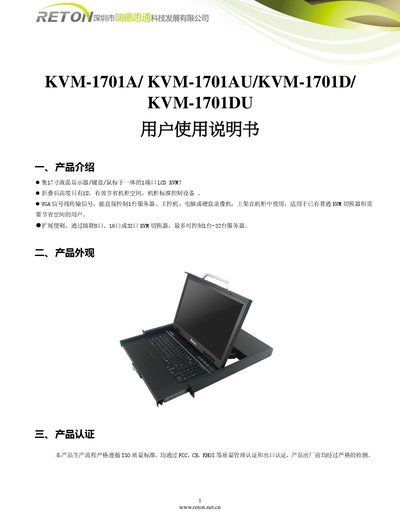
Reton KVM-1701A/KVM-1701AU/KVM-1701D/KVM-1701DU LCD KVM User Manual
The Reton KVM‑1701 series combines a 17‑inch LCD display, keyboard and mouse into a single 1‑U rack‑mountable unit. It supports VGA signal transmission and can directly control one server, industrial PC, computer or DVR. By cascading 8‑, 16‑ or 32‑port KVM switchers, up to 32 servers can be managed from the same console.
Installation is simple: pull the panel out, the rail locks automatically and the KVM powers on with the LED indicator lit. The front panel can be opened up to 120° for easy access. The device complies with FCC, CE and RoHS certifications and follows ISO quality standards. This manual is written in Chinese.
Covers: Product Introduction · Product Appearance · Product Certification · Connection Diagram · Usage Instructions · Company Overview
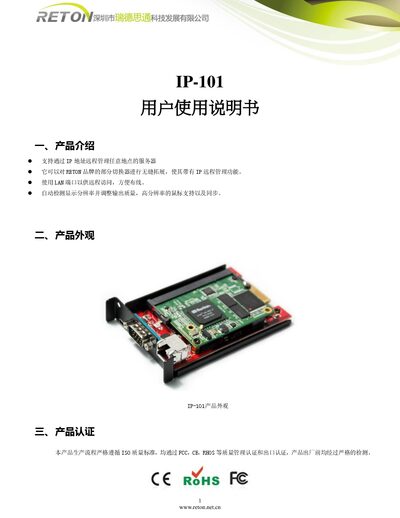
Reton IP-101 User Manual
The IP-101 is a remote‑management KVM device that allows administrators to control servers over an IP network. It connects via a LAN port, automatically detects display resolution, and supports high‑resolution mouse operation.
The manual covers product overview, appearance, certifications, connection diagram, step‑by‑step usage instructions, network settings, remote control operation, switching methods for various KVM hosts, and company information. This manual is written in Chinese.
Covers: Product Introduction · Product Appearance · Product Certification · Connection Diagram · Usage Instructions · Switching Method
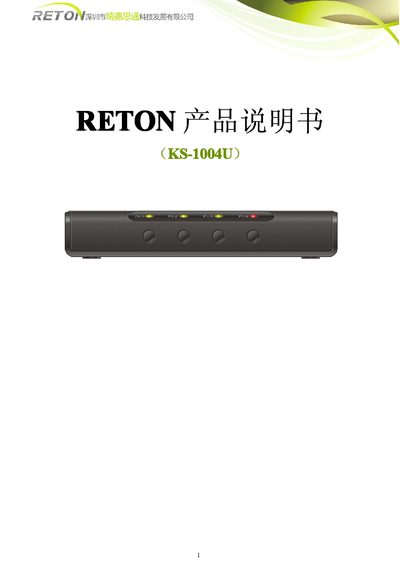
RETON KS-1004U products Manual
The RETON 1004U is a low‑cost KVM solution that lets a single keyboard, mouse and monitor control up to four computers. It supports both USB and PS/2 computers, offers hot‑key switching, automatic scanning, and LED status indicators.
The manual covers hardware overview, cable connections, installation steps, hot‑key commands, troubleshooting, technical specifications, and product certifications, guiding users from unpacking to full operation. This manual is written in Chinese.
Covers: Overview · Hardware Overview · Hardware Installation · Hotkey Commands · Troubleshooting · Technical Specifications
Reton KVM 1708/1716 Standard Screen User Manual
The Reton KVM 1708/1716 is a 1U LCD KVM control platform that integrates video, keyboard, and mouse switching for multiple computers. It supports direct connection of 8 or 16 hosts and can cascade up to 128 PCs. The device features a built‑in LCD display, touch‑pad mouse, hot‑key switching, and automatic scanning of connected computers.
The manual provides safety precautions, installation steps, wiring diagrams, and detailed specifications such as dimensions, power consumption, operating temperature, and certifications. It also includes a brief company overview of Shenzhen Reton Technology Development Co., Ltd. This manual is written in Chinese.
Covers: 產品描述 · 產品特性 · 快速安裝 · 機架安裝 · 信號線及連接 · 規格
Latest RETON manuals
Reton KVM-1701A/KVM-1701AU/KVM-1701D/KVM-1701DU LCD KVM User Manual
User Manual 4 pages · 298 KB · ZHThe Reton KVM-1701 series LCD KVM manual provides setup, operation, and specifications for the 1U 17‑inch integrated KVM device.
Reton IP-101 User Manual
User Manual 5 pages · 375 KB · ZHThe Reton IP-101 User Manual explains remote management setup, network configuration, and switching methods for the IP KVM device.
RETON KS-1004U products Manual
User Manual 11 pages · 1.6 MB · ZHThe RETON 1004U KVM Switch User Manual provides setup, operation, and troubleshooting instructions for the four‑port KVM device.
Reton KVM 1708/1716 Standard Screen User Manual
User Manual 21 pages · 2.3 MB · ZHUser manual for the Reton KVM 1708/1716 LCD KVM switch, covering installation, operation, and specifications.
RETON KVM 1708/1716 LCD KVM Control Platform User Manual
User Manual 25 pages · 2.1 MB · ZHThe RETON KVM 1708/1716 LCD KVM control platform manual provides installation, operation, and specifications for the 1U KVM switch.
Reton KVM-1701A LCD KVM Control Platform Manual
User Manual 14 pages · 1.6 MB · ZHThe Reton KVM-1701A manual provides installation, operation, and technical specifications for the 1U LCD KVM control platform.
RETON KVM-1701A LCD KVM Control Platform User Manual
User Manual 16 pages · 1.3 MB · ZHUser manual for the RETON KVM-1701A widescreen LCD KVM control platform, covering installation, wiring, operation and specifications.
Which document do I need?
User Manual
Day-to-day operation, settings and troubleshooting. Start here if the product is already set up.
Questions answered in RETON manuals
What is the maximum opening angle of the LCD panel?
The panel can be opened up to 120°, and opening it further may damage the device.
From: Reton KVM-1701A/KVM-1701AU/KVM-1701D/KVM-1701DU LCD KVM User Manual
What certifications does the product have?
The product has passed FCC, CE and RoHS certifications and follows ISO quality standards.
From: Reton KVM-1701A/KVM-1701AU/KVM-1701D/KVM-1701DU LCD KVM User Manual
How can I change the IP‑101’s IP address?
Open the device’s settings, select “Device Settings → Network”, and modify the IP address, subnet mask, and gateway to the desired values.
From: Reton IP-101 User Manual
What should I do if the remote control window does not open?
Install the Java plug‑in provided on the supplied CD or download and install it from the internet.
From: Reton IP-101 User Manual
How many computers can the RETON 1004U KVM switch control?
It can control up to four computers.
What is the required power supply for the KVM switch?
A DC 12 V, 1 A transformer is required.