
Compact barcode label printer with direct thermal and thermal transfer printing, ideal for healthcare, retail, and library use.
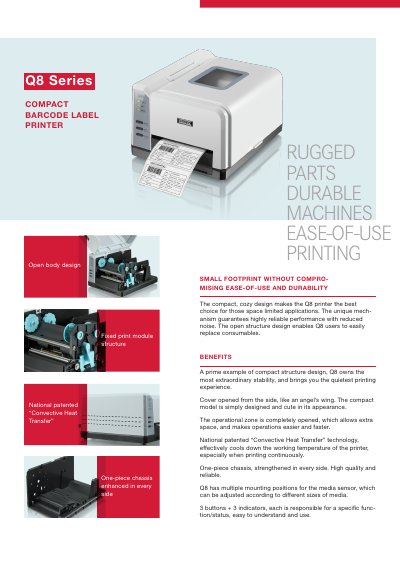
The POSTEK Q8 series offers a compact, open-body design for easy consumable replacement and quiet operation. It features national patented 'Convective Heat Transfer' technology for effective cooling during continuous printing. The printer supports both direct thermal and thermal transfer modes with high-resolution output and multiple barcode types.
Models Q8/200 and Q8/300 offer different print speeds and widths, with optional accessories like Wi-Fi, Bluetooth, and guillotine cutters. It’s designed for space-limited applications in healthcare, retail, and libraries with rugged, durable construction and user-friendly controls.
| Resolution | 203 dpi / 300 dpi |
|---|---|
| Max Printing Speed | 4 ips (101.6 mm/s) / 3 ips (76.2 mm/s) |
| Max Printing Width | 4.25″ (108 mm) / 4.17″ (106 mm) |
| Max Printing Length | 157″ (4000 mm) / 79″ (2000 mm) |
| Memory | 8 MB FLASH ROM, 16 MB SDRAM |
| Interfaces | RS-232 Serial, USB DEVICE 2.0 |
| Weight | 4.63lbs (2.1 kgs) |
| Dimensions | W 8.58″ (218 mm) × D 10.04″ (255 mm) × H 5.91″ (150 mm) |
| Operating Temperature | 32°F ~ +104°F (0℃~ 40℃) |
| Operating Humidity | 5% ~ 85% non condensing |
The maximum printing speed is 4 ips (101.6 mm/s).
It has RS-232 Serial and USB DEVICE 2.0 interfaces.