
Key facts
- Manuals
- 6
- Models
- 1
- Categories
- 1
- Languages
- ZH · EN
- Last added
- 2026-10-01
Postek models by category
Featured Postek manuals
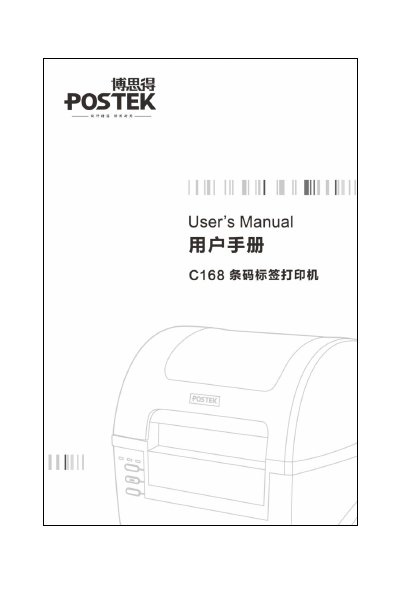
POSTEK C168 Label Printer User Manual
This user manual explains how to install and use the POSTEK C168 label printer, including safety precautions, power requirements and connection methods. It also lists the technical specifications such as printing method, resolution, speed and supported interfaces.
The guide covers routine maintenance like print‑head cleaning, roller cleaning and detector cleaning, as well as detailed troubleshooting steps for common errors. Appendices provide IO interface pinouts and an ASCII code table for advanced users. This manual is written in Chinese.
Covers: Introduction · Technical Specifications · Installation · Operation Controls · Maintenance · Troubleshooting
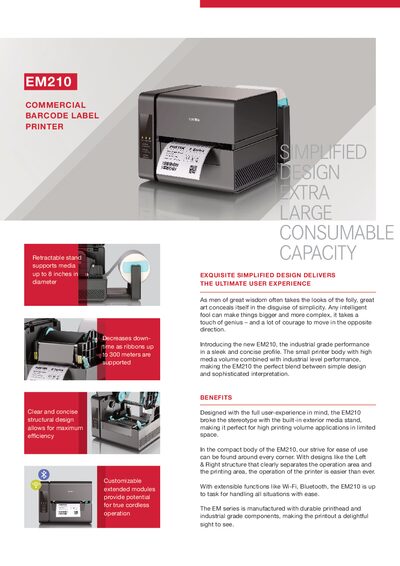
POSTEK EM210 Commercial Barcode Label Printer Data Sheet
The EM210 combines a compact design with a large consumable capacity, featuring a retractable media stand that supports media up to 8 inches in diameter. Its simplified layout separates the operation area from the printing area, and optional wireless modules make it adaptable for high‑volume applications in limited spaces.
Technical specifications include direct thermal and thermal transfer printing, 203 dpi resolution, 6 ips speed, and a maximum print width of 4.25 in. The printer supports a range of 1D and 2D barcodes, USB connectivity, and optional Wi‑Fi, Bluetooth, RS‑232, and Ethernet ports. It operates in temperatures from 32 °F to +104 °F and can be stored down to –40 °F.
Covers: Benefits · Printing Mode · Resolution · Max Printing Speed · Media Width · Media Thickness
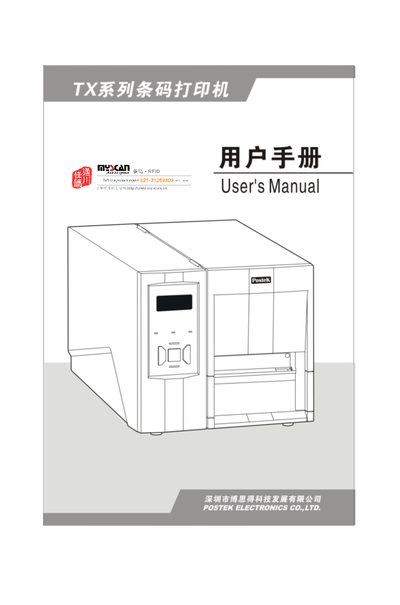
POSTEK TX Series Label Printer User Manual
This manual introduces the POSTEK TX Series label printer, covering its technical specifications, unpacking checklist, and required accessories. It guides users through safe installation, connection of power and data interfaces, and loading of ribbons and label rolls.
Detailed sections describe operation controls, LCD functions, print‑head pressure adjustment, driver installation, and label‑editing software. Maintenance procedures, such as cleaning the print head and rollers, and a comprehensive troubleshooting guide help keep the printer running reliably. This manual is written in Chinese.
Covers: Foreword · Important Safety Notices · Introduction · Technical Specifications · Unpacking and Accessories Check · Installation
POSTEK G-2108/G-2108D/G-3106/G-3106D Label Printer User Manual
This manual provides detailed instructions for the POSTEK G‑2108, G‑2108D, G‑3106 and G‑3106D label printers. It includes safety warnings, unpacking steps, hardware overview, connection methods and software setup.
The guide also covers routine maintenance, printer head care, paper sensor calibration, fault diagnosis and interface specifications such as RS‑232, Centronics, USB and optional Ethernet. This manual is written in Chinese.
Covers: Preface · Important Safety Information · Introduction · Technical Specifications · Unpacking and Accessories Check · Installation and Connections
Latest Postek manuals
POSTEK C168 Label Printer User Manual
User Manual 48 pages · 2.9 MB · ZHThe manual provides installation, operation, maintenance and troubleshooting instructions for the POSTEK C168 label printer.
POSTEK EM210 Commercial Barcode Label Printer Data Sheet
Product Leaflet 2 pages · 713 KB · ENThe POSTEK EM210 commercial barcode label printer offers direct thermal and thermal transfer printing at 203 dpi with optional Wi‑Fi and Bluetooth.
POSTEK TX Series Label Printer User Manual
User Manual 37 pages · 1.3 MB · ZHThe POSTEK TX Series label printer user manual provides specifications, installation, operation, maintenance, and troubleshooting instructions.
Postek TX series Barcode Label Printer Manual
Postek G+ series Printer user manual
POSTEK G-2108/G-2108D/G-3106/G-3106D Label Printer User Manual
User Manual 50 pages · 1.7 MB · ZHUser manual for POSTEK G series label printers covering installation, operation, maintenance and troubleshooting.
Which document do I need?
User Manual
Day-to-day operation, settings and troubleshooting. Start here if the product is already set up.
Questions answered in Postek manuals
What printing technologies does the EM210 support?
It supports both Direct Thermal and Thermal Transfer printing.
From: POSTEK EM210 Commercial Barcode Label Printer Data Sheet
Which connectivity options are available for the EM210?
Standard USB 2.0 is built‑in, and optional accessories add Wi‑Fi, Bluetooth, RS‑232, and Ethernet ports.
From: POSTEK EM210 Commercial Barcode Label Printer Data Sheet
What communication interfaces does the TX Series printer support?
The printer provides RS‑232 serial, Centronics parallel, USB, and PS/2 interfaces for connecting to a host computer.
What are the power requirements for the printer?
It operates on 220 VAC ±10% at 50/60 Hz.
Which models have an LCD display?
Only the G‑2108D and G‑3106D models are equipped with an LCD screen.
From: POSTEK G-2108/G-2108D/G-3106/G-3106D Label Printer User Manual
What are the required specifications for the power adapter?
The adapter must accept 100‑240 V AC, 47‑63 Hz input and provide a 24 V DC output at 2.0 A.
From: POSTEK G-2108/G-2108D/G-3106/G-3106D Label Printer User Manual