
This manual provides installation, wiring, and configuration instructions for the Omron M-4AD analog input module, covering voltage and current input modes.
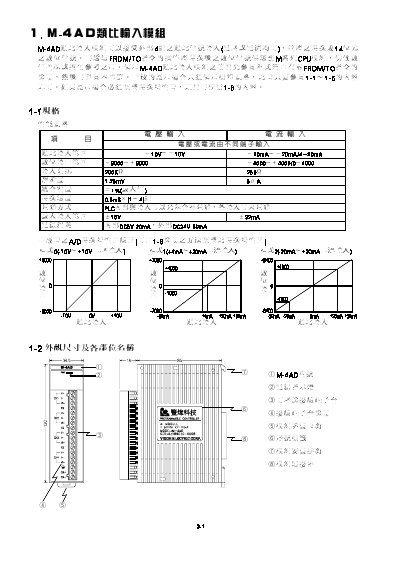
This document is the user manual for the Omron M-4AD analog input module. It details the module's specifications, performance characteristics, and installation procedures. The guide explains how to wire the module for both voltage and current inputs and describes the necessary grounding and noise reduction techniques to ensure accurate signal conversion. This manual is written in Chinese.
| Isolation Method | Optocoupler |
|---|
The module supports voltage input and current input modes.
Connect the system ground point to the power module's terminal and perform third-type grounding or connect to the distribution box chassis.
Yes, the conversion characteristics can be adjusted by setting specific values for the module.