
NZXT Kraken 120 Liquid Cooler Installation Guide

Installation instructions for the NZXT Kraken 120 liquid cooler, including component lists and steps to install the water block on Intel or AMD processors.
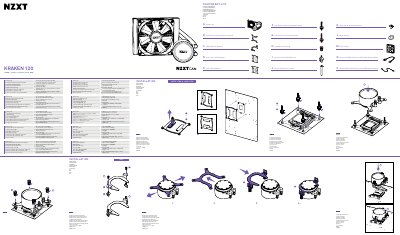

NZXT Kraken 120 Liquid Cooler Installation Guide - cover page
Brand
NZXT
Document type
User Manual
Language
English
Pages
2
File format
PDF
File size
3.6 MB
Published
19 October, 2026
Updated
19 October, 2026
MD5 checksum
C5886A50FD77C135B2AFA2B69A2D1B1B

About this manual

This document provides a comprehensive list of components included in the NZXT Kraken 120 Liquid Cooler with RGB package. The parts include specific mounting hardware for various Intel sockets (1200/115X, 1700) and an AMD retention bracket, along with fans and necessary screws.

What's inside

  • Component List
  • Changing the Retention Bracket
  • Preparing the Backplate
  • Installing the Standoffs
  • Installing the Water Block

Frequently asked questions

Which Intel CPU sockets are supported by this cooler?

This product is compatible with the Intel 1200 and 115X socket series.

What type of fan is included in this kit?

The package includes one Aer P 120 fan.

Download PDF (3.6 MB)

More NZXT Manuals


View all NZXT manuals →