
NETGEAR WNR1000v3 Wireless Router User Manual

Installation and setup guide for the NETGEAR WNR1000v3 N150 wireless router, covering network connection, management interface login, and wireless…
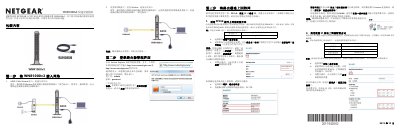

NETGEAR WNR1000v3 Wireless Router User Manual - cover page
Brand
NETGEAR
Category
Router
Document type
User Manual
Language
Chinese
Pages
2
File format
PDF
File size
840 KB
Published
20 October, 2026
Updated
20 October, 2026
MD5 checksum
DAB34CACAF4AECA6D58D0FF2F21BA151

About this manual

This manual provides step-by-step instructions for installing and configuring the NETGEAR WNR1000v3 wireless router. It covers connecting the device to a network via ADSL/Cable Modem or direct broadband connection, accessing the management interface, and setting up internet connections using PPPoE, fixed IP, or dynamic IP methods. This manual is written in Chinese.

What's inside

  • Package Contents
  • Connecting to the Network
  • Logging into Management Interface
  • Setting Up Internet Connection
  • Configuring Wireless Password
  • Connecting Wireless Clients
  • LED and Port Indicators
  • Factory Reset

Frequently asked questions

What is the default wireless password for the NETGEAR WNR1000v3 router?

The default username and password are both 'admin' and 'password', respectively, in lowercase letters.

How long must the reset button be held to restore the router to factory settings?

You must hold down the reset button for 15 seconds until the power light changes from orange to green.

What is the minimum and maximum length allowed for a custom wireless password?

The wireless password must be between 8 and 63 characters long, with case sensitivity applied.

Download PDF (840 KB)

More NETGEAR Manuals


View all NETGEAR manuals →