
NETGEAR WNDR3700v4 N600 Wireless Router Installation Guide

Installation and setup instructions for the NETGEAR N600 Wireless Router (WNDR3700v4), including connection steps, security configuration, and troubleshooting.
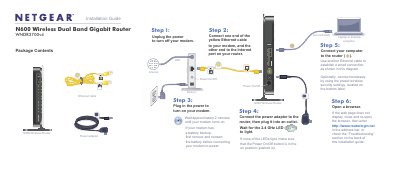

NETGEAR WNDR3700v4 N600 Wireless Router Installation Guide - cover page
Brand
NETGEAR
Category
Router
Document type
Installation Guide
Language
English
Pages
2
File format
PDF
File size
471 KB
Published
29 October, 2026
Updated
29 October, 2026
MD5 checksum
1C137F7F5BD3AD8422E5016D530D2CDA

About this manual

This guide provides step-by-step instructions for installing and setting up the NETGEAR N600 Wireless Router (Model WNDR3700v4). It covers connecting the router to a modem and computer, configuring power, and accessing the setup interface via a web browser.

What's inside

  • Package Contents
  • Power On/Off
  • Connect to Modem
  • Connect Computer
  • Preset Wireless Security
  • Connect Wireless Devices
  • WPS Method
  • Troubleshooting

Frequently asked questions

What is the default login URL for the router?

Enter http://www.routerlogin.net in the address bar of your web browser.

What are the default login credentials?

The default user name is 'admin' and the password is 'password'.

How do I connect a wireless device using WPS?

Press the WPS button on the router, then press the WPS button on the client device within 2 minutes.

Download PDF (471 KB)

More NETGEAR Manuals


View all NETGEAR manuals →