
NETGEAR Nighthawk X4 AC2350 Smart Router R7500 User Manual

Installation and setup guide for the NETGEAR Nighthawk X4 AC2350 smart router, covering antenna connection, initial configuration via Genie, and management.
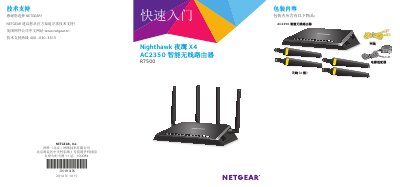

NETGEAR Nighthawk X4 AC2350 Smart Router R7500 User Manual - cover page
Brand
NETGEAR
Category
Router
Document type
User Manual
Language
Chinese
Pages
22
File format
PDF
File size
2.4 MB
Published
12 October, 2026
Updated
12 October, 2026
MD5 checksum
97C802DA6377E5EE6AE01D145F552749

About this manual

This document is a user manual for the NETGEAR Nighthawk X4 AC2350 Smart Router (Model R7500). It provides step-by-step instructions for installing the device, connecting it to a modem, and configuring initial wireless settings. The guide details how to install antennas, connect via Ethernet or Wi-Fi, and access the management interface using the NETGEAR Genie wizard. This manual is written in Chinese.

What's inside

  • Quick Start
  • Antenna Installation
  • Connecting Modem
  • Powering On
  • Wireless Security
  • WPS Connection
  • Router Configuration
  • VPN Service

Frequently asked questions

What is the default username and password for the router management page?

The default username is admin and the password is password.

How can I turn off the LED lights on the router?

Use the LED Off/On switch located on the back panel of the router.

Download PDF (2.4 MB)

More NETGEAR Manuals


View all NETGEAR manuals →