
The Netac C605/C606 Music Player User Manual provides setup, operation, and technical specifications for the portable MP3/recording device.
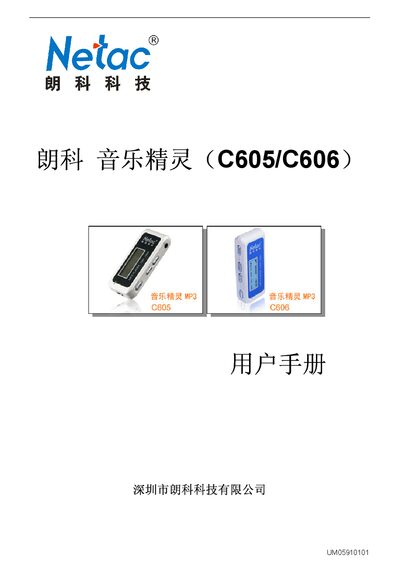
The Netac C605/C606 Music Player (also called 音乐精灵) is a compact portable MP3 player with recording, FM radio (C605 model only), and USB flash‑drive storage. It runs on a single AAA battery and supports multiple audio formats, lyric synchronization, and multilingual menus.
This manual covers safety notices, hardware description, computer connection, data transfer, basic button functions, mode‑specific operation (music, recording, FM, system settings), firmware upgrade, and technical specifications. It also includes a troubleshooting FAQ and contact information for Netac support. This manual is written in Chinese.
| Dimensions | 76 mm × 25 mm × 25 mm |
|---|---|
| Weight | ≈20 g (without battery) |
| Display | 128 × 32 dot matrix LCD with blue EL backlight |
| Storage Capacity | 128 MB – 1 GB (C606); 128 MB – 2 GB (C605) |
| Power Supply | Single AAA alkaline battery; USB bus power when connected |
| Supported Audio Formats | MP3, WMA |
| MP3 Bitrate Range | 8 kbps – 320 kbps |
| Frequency Response | 20 Hz – 20 kHz |
| Signal‑to‑Noise Ratio | > 85 dB |
| Recording Time (high quality) | 17 h 50 min (WMA 32 kHz, 256 MB) |
| Long‑time Recording | 71 h 22 min (ACT 8 kHz, 256 MB) |
| Headphone Output Power | > 6 mW into 32 Ω; > 10 mW into 16 Ω |
| Operating Temperature | -5 °C – 40 °C |
| Supported Languages | Simplified/Traditional Chinese, English, Japanese, Korean, French, German, Italian, Dutch, Portuguese, Spanish |
| Compatible Operating Systems | Windows 98/ME/2000/XP/Server 2003, Mac OS 9.x+, Linux 2.4.2+ |
After copying or deleting files, first use the operating system’s safe‑remove function (e.g., “停止 USB Mass Storage Device” on Windows) and then unplug the USB cable.
The Music Player supports MP3 and WMA digital audio formats.
Download the latest firmware from Netac’s website, run the MP3 Player Update Tool from the provided utilities, select the new firmware file, and start the upgrade.