
Netac Super Stable Mini USB Flash Drive is a USB flash drive with a unique super stable function. It can ensure that when unexpected conditions occur during USB flash drive reading and writing (such as unexpected power failure or misinsertion), the USB flash drive itself will not be damaged, and the original and copied data in the USB flash drive will not be lost. The super-stable mini USB flash drive can also simulate USB ZIP drive and USB HDD drive to boot the computer, so that you can completely get rid of the bulky floppy disk / drive, and its ultra-small shape is more compact and fashionable.
This manual explains how to install the Netac Mini Flash Disk on supported operating systems, use the provided formatting tool, and safely remove the device. It covers Windows 98/Me/2000/XP, Mac OS 9/X, and Linux 2.4.x, and details the LED indicators for read/write activity.
The document also lists technical specifications, safety notes, and a FAQ section that addresses common connection and driver issues, data recovery, and warranty information. This manual is written in Chinese.
| Interface | USB 1.1 |
|---|---|
| Supported OS | Windows 98/Me/2000/XP, Mac OS 9/X, Linux 2.4.x |
| USB Voltage | 4.5 V / 5.5 V |
| Capacity Range | 16 MB – 512 MB |
| Operating Current | < 50 mA |
| Standby Current | < 500 µA |
| Storage Temperature | -50 °C to +80 °C |
| Operating Temperature | -40 °C to +70 °C |
| Dimensions | 63 mm × 18 mm × 10 mm |
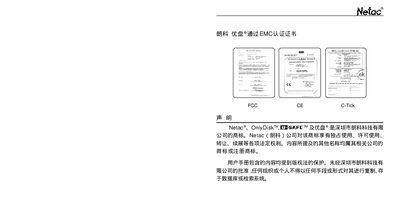
| Regulatory | FCC, CE, C‑Tick |
Insert the supplied CD, run "setup.exe" and follow the on‑screen prompts to complete the installation.
Yes, data can be recovered if the drive was formatted as a local USB HDD.
The product can be replaced within three months of purchase and has a one‑year warranty.