
Quick start guide for the MOZA Mini-MI gimbal covering phone mounting, battery charging, app connection, controls, calibration and specifications.
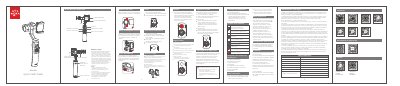
The MOZA Mini-MI is a gimbal with an integrated lithium battery and a phone holder. The guide covers mounting and balancing a phone, charging the battery through the micro USB port, and charging a phone by USB or wirelessly.
It explains Bluetooth connection to the MOZA Genie app, joystick and dial operation, follow modes, vertical shooting setup, professional camera settings, firmware updates and calibration. The specifications list the gimbal weight, maximum load, battery life and charging time. This manual is written in Spanish.
| Gimbal weight | 543 g |
|---|---|
| Maximum load | 300 g |
| Wireless charging power | 5 W |
| Gimbal size | 143 * 107 * 290 (Ax P x H) |
| Phone dimensions | 61 x 92 mm |
| Battery life | 10 hours of service |
| Charging time | 3.5 hours |
Turn on the gimbal, enable Bluetooth, open the MOZA Genie app and choose the gimbal to connect.
The battery level is below 30%, so the battery should be charged in time.
Loosen the rear button screw, pull the holder out 5 mm, turn it 90° clockwise and tighten the screw.
The maximum load is 300 g and the wireless charging power is 5 W.