
A quick reference guide for the Mitel MiVoice 6940 IP Phone covering basic operations, UI navigation, call handling, voicemail, and MobileLink features.
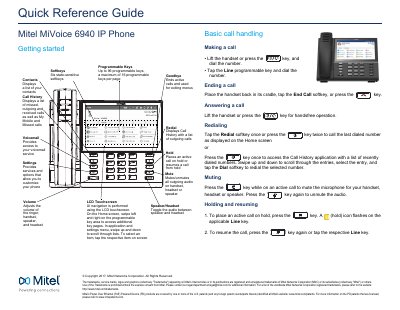
This document serves as a Quick Reference Guide for the Mitel MiVoice 6940 IP Phone. It provides instructions on basic operations, user interface navigation, and call handling procedures. Key features described include the LCD touchscreen UI, programmable keys, and softkeys for managing calls, contacts, and voicemail.
It is used for making and receiving calls, managing contacts, accessing voicemail, and handling conference calls.
Press the key to access the Contacts application, tap the respective contacts folder, scroll through the contacts, and tap the Dial softkey to place a call.
It accesses your voicemail service when voicemail functionality is enabled.