
Quick reference guide for the Mitel MiVoice 5330e IP Phone covering basic call handling, hold, transfer, conference, speed call programming and volume…
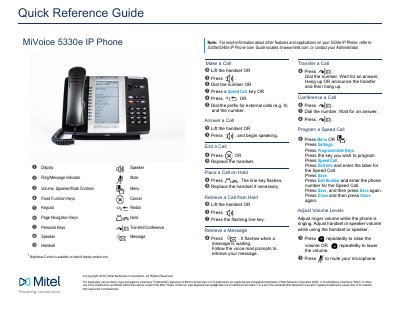
This one-page quick reference guide from Mitel Networks Corporation provides basic operating instructions for the MiVoice 5330e IP Phone. It identifies phone controls such as the display, speaker, mute, volume, keypad, navigation keys, personal keys and handset.
The guide explains how to make, answer and end calls; place calls on hold and retrieve them; retrieve messages; transfer and conference calls; program a Speed Call key; and adjust ringer, handset or speaker volume. It also notes that brightness control is available on backlit display models only and refers users to the 5330e/5340e IP Phone User Guide for more information.
| Brightness Control | Available on backlit display models only |
|---|
Lift the handset or press the speaker key, then dial the number. You can also press a Speed Call key or dial an external-call prefix and the number.
Press the transfer/conference key, dial the number and wait for an answer. Then hang up, or announce the transfer and hang up.
Press the hold key; the line key flashes. You can replace the handset if necessary.
Adjust the ringer volume while the phone is ringing, or the handset or speaker volume while using the handset or speaker. Press the volume keys repeatedly to raise or lower the volume.