
Installation, configuration and troubleshooting guide for the Mercury MWB201 wireless bridge kit.
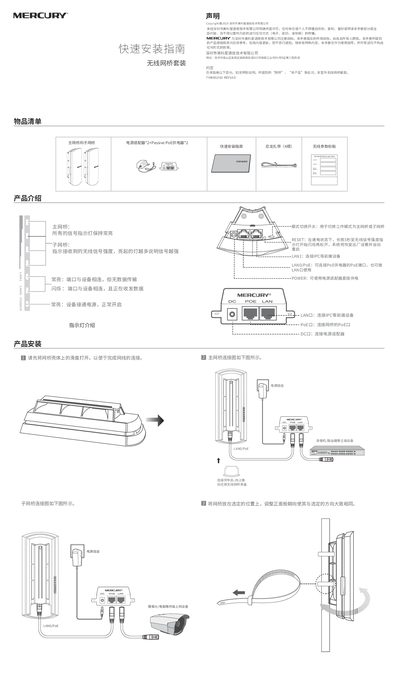
The Mercury MWB201 wireless bridge kit includes a master bridge and a slave bridge, power adapters, and passive PoE injectors. This manual provides step‑by‑step installation instructions, indicator light explanations, and connection diagrams for both bridges.
It also covers web‑based management, default network settings, password setup, and a FAQ section that addresses common issues such as accessing the management interface, resetting the device, and network connectivity problems. This manual is written in Chinese.
| Default IP address (master bridge) | 192.168.1.251 |
|---|---|
| Default IP address (slave bridge) | 192.168.1.252 |
| Management password length | 6‑15 characters |
Make sure the computer and bridge are on the same subnet; try restarting or switching browsers, replace the network cable or use another computer, and if needed reset the device to factory settings.
While the device is powered, press and hold the RESET button for 3 seconds until the signal‑strength LED starts flashing, then release to reboot and restore factory defaults.
Verify that the master and slave bridges are installed as a pair, that their management passwords match, ensure a clear line‑of‑sight between them, and confirm the indicator LEDs show normal operation.