
This guide shows how to install, configure and use the Mercury YC300C wireless PTZ network camera.
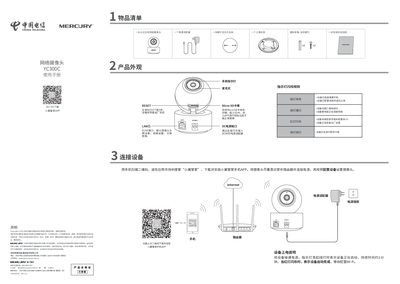
The quick start guide provides a parts list, connection options, LED indicator meanings, and step‑by‑step instructions for mounting the YC300C camera on a wall or ceiling. It explains power connections (DC9 V adapter or PoE), how to reset the device, and how to use the "小翼管家" app to configure Wi‑Fi or wired network settings.
Additional sections cover warranty information, restricted substances declarations, and safety notes such as required mounting strength. The document also includes QR codes for downloading the app and for device registration. This manual is written in Chinese.
| Power Supply (adapter) | DC 9 V, 0.6 A |
|---|---|
| Power over Ethernet (PoE) spec | 53.5 V, 0.15 A |
| Horizontal rotation range | 338° |
| Vertical rotation range | 69° |
Press and hold the RESET button for 5 seconds; the device will restore to factory defaults.
Open the "小翼管家" app, scan the camera’s QR code, choose the hotspot option, select your Wi‑Fi network, enter the password and follow the on‑screen prompts.
The wall must support at least three times the camera’s weight, not less than 50 N (≈5 kg).