
User manual for Intermatic E-1020 timer, covering installation, programming, manual control, and safety.
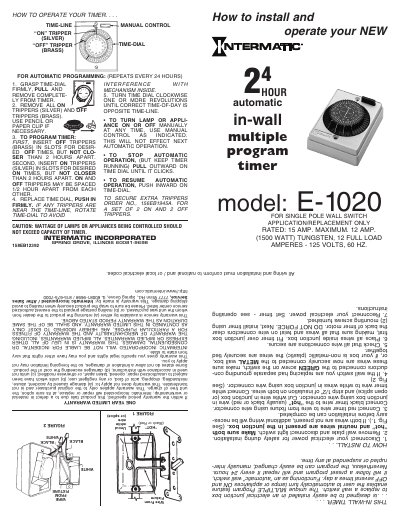
This manual explains how to install and operate the Intermatic E-1020 24-hour automatic in-wall multi-program timer. It includes steps for wiring, programming on/off times, manual override, and stopping/resuming automatic operation. The timer is designed to replace a wall switch and control lamps or appliances on a preset schedule. Safety warnings and warranty information are also provided. This manual is written in Chinese.
| Rated Current | 15 AMP. MAXIMUM. 12 AMP. (1500 WATT) |
|---|---|
| Voltage | 125 VOLTS, 60 HZ |
| Maximum Wattage | 1500 WATT |
Insert brass 'OFF' trippers and silver 'ON' trippers into slots for desired times, spaced at least 2 hours apart. Rotate the time dial to set the correct time.
Use the manual control to turn the lamp or appliance on or off at any time without affecting the next automatic operation.
Pull outward on the time dial until it clicks to stop automatic operation while keeping the timer running.