
Intermatic Digi 42 Series electronic 24-hour or 7-day time switches with installation, keypad, wiring, and programming instructions.
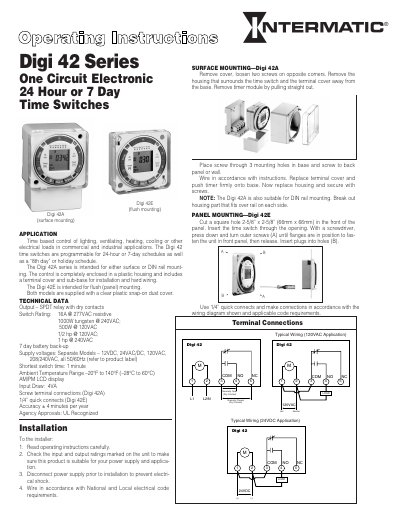
The Intermatic Digi 42 Series includes the Digi 42A for surface or DIN rail mounting and the Digi 42E for flush (panel) mounting. These one-circuit electronic time switches provide 24-hour or 7-day schedules plus an “8th day” or holiday schedule for lighting, ventilating, heating, cooling, or other electrical loads in commercial and industrial applications.
The document gives technical data, installation and wiring instructions, keypad and LCD display descriptions, time setting, manual and automatic daylight time changeover, 24-hour or 7-day programming, manual override, program review/change/delete steps, and the holiday program.
| Output | SPDT relay with dry contacts |
|---|---|
| Switch Rating | 16A @ 277VAC resistive |
| Tungsten Load | 1000W tungsten @ 240VAC; 500W @ 120VAC |
| Motor Load | 1/2 hp @ 120VAC; 1 hp @ 240VAC |
| Battery Back-up | 7 day battery back-up |
| Supply Voltages | 12VDC, 24VAC/DC, 120VAC, 208/240VAC, all 50/60Hz |
| Shortest Switch Time | 1 minute |
| Ambient Temperature Range | –20°F to 140°F (–28°C to 60°C) |
| Accuracy | ± 4 minutes per year |
| Agency Approvals | UL Recognized |
| Panel Cutout for Digi 42E | 2-5/8” x 2-5/8” (66mm x 66mm) |
The Digi 42A is for surface mounting and the Digi 42E is for flush (panel) mounting.
Yes. The Digi 42 has an “8th day” or holiday schedule.
The Digi 42 accepts up to 42 programs.
The shortest switch time is 1 minute.