
Installation and operating instructions for the Grundfos E-Box 500 Ethernet communication module for SMART digital S DDA dosing pumps.
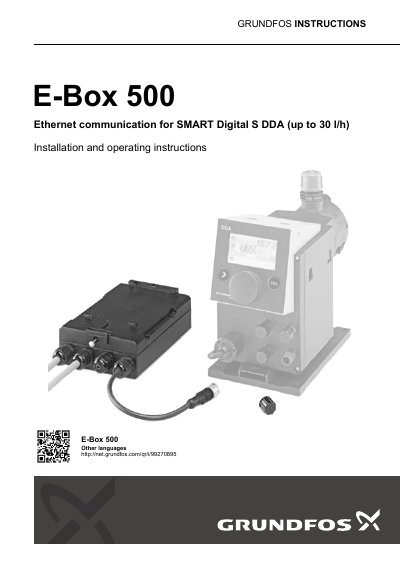
The Grundfos E-Box 500 is an Ethernet communication module for a SMART digital S DDA dosing pump. It contains a CIM 500 module and provides two Ethernet connections, a rotary switch for selecting the industrial Ethernet protocol, and a pre-assembled plug connection to the dosing pump.
The document covers installation, electrical and mechanical mounting, technical data, cleaning, and disposal. It also describes the module's fixed IP address, supported Ethernet protocols, and environmental and electrical specifications.
| Supply voltage | 30 VDC, ± 10 % |
|---|---|
| Maximum power consumption | 5 W |
| Ethernet protocol | PROFINET IO / Modbus TCP |
| Supported data rates | 10/100 Mbit/s |
| Maximum cable length | 100 m at 10/100 Mbit/s |
| GENIbus transceiver | RS-485 |
| GENIbus protocol | GENIbus |
| GENIbus transmission speed | 9600 bit/s |
| Maximum altitude | 2000 m |
| Maximum relative humidity | 96 % |
| Pollution degree | 2 |
| Enclosure class | IP65 according to IEC 60529, NEMA 4X |
| Electrical safety class | 3 |
| Ambient temperature | 0/45 °C |
| Approvals | CE, CB, CSA-US, RCM |
| Weight | 0.4 kg |
It must only be used as a communication interface between a SMART digital S DDA dosing pump and an Ethernet network.
PROFINET IO.
192.168.1.100.
Only with a dry and clean cloth.