
This manual covers installation, operation, LED indicators, button functions, DIP switch settings, and troubleshooting for the GP-1124T and GP-1125T thermal…
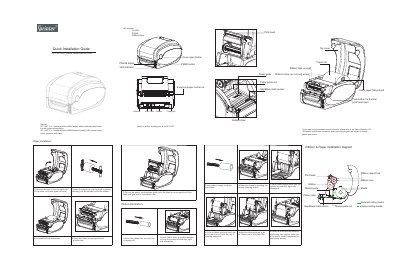
This document is the user manual for the GP-1124T and GP-1125T series thermal transfer barcode printers. It provides instructions for installing media and ribbon, explains the functions of the power, feed, and pause buttons, and details the status of the LED indicators for both direct thermal and thermal transfer printing modes. This manual is written in Chinese.
| Ribbon capacity | 300 meters |
|---|---|
| Paper roll size (internal) | 5" OD |
| Paper roll size (external holder) | 8.4" OD |
| Print resolution | 203dpi |
| Interfaces (GP-1124T) | Serial+USB+Parallel |
| Interfaces (GP-1125T) | Serial+USB+Ethernet+Parallel |
The GP-1124T features a 3-in-1 interface including Serial, USB, and Parallel ports.
The GP-1125T features a 4-in-1 interface including Serial, USB, Ethernet, and Parallel ports.