
FTDI US232 evaluation cable for testing the FT8U232AM USB UART and its drivers, with PC, Mac and Linux installation instructions.
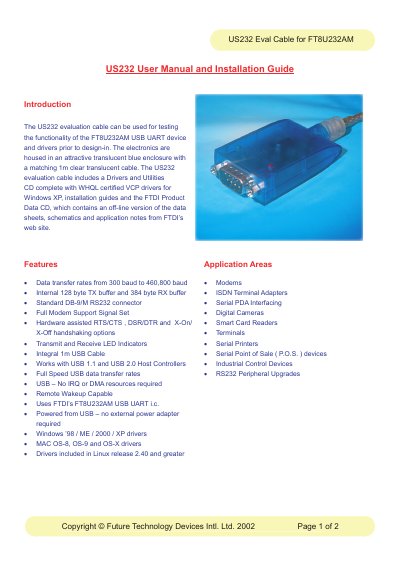
The FTDI US232 evaluation cable is used for testing the functionality of the FT8U232AM USB UART device and drivers prior to design-in. The electronics sit in a translucent blue enclosure with a matching 1m clear translucent cable, and the unit uses a standard DB-9/M RS232 connector, is powered from the USB port and needs no external power adapter.
The document lists the cable's features and application areas and gives installation instructions for PC, Mac and Linux. The included Drivers and Utilities CD contains WHQL certified VCP drivers for Windows XP, installation and uninstall guides, and the FTDI Product Data CD with data sheets, schematics and application notes.
| Data transfer rate | 300 baud to 460,800 baud |
|---|---|
| TX buffer | 128 byte internal |
| RX buffer | 384 byte internal |
| RS232 connector | Standard DB-9/M |
| Handshaking | RTS/CTS, DSR/DTR and X-On/X-Off options |
| USB cable | Integral 1m USB cable |
| USB host support | USB 1.1 and USB 2.0 host controllers |
| USB UART chip | FTDI FT8U232AM |
| Power | Powered from USB, no external power adapter required |
| Windows drivers | Windows ’98 / ME / 2000 / XP |
| Mac drivers | MAC OS-8, OS-9 and OS-X |
It is used for testing the functionality of the FT8U232AM USB UART device and drivers prior to design-in.
No. It is powered from USB and requires no external power adapter.
Insert the US232 Driver and Utility CD into the CD drive of the PC first and review the installation guide for your version of Windows.
Drivers are provided for Windows ’98, ME, 2000 and XP.