
Fanvil X2P, X2C and X2CP phone quick installation guide covering hardware connection, phone and web configuration, and call features.
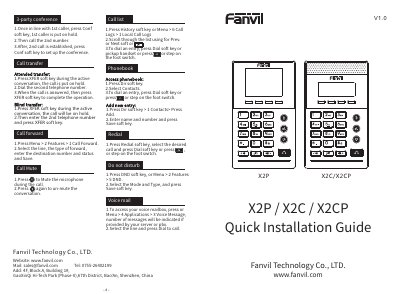
This is the Fanvil quick installation guide (V1.0) for the X2P, X2C and X2CP phones. It shows the box contents such as the Ethernet cord, stand, power adapter (optional on X2P or X2CP), headset and bracket, explains bracket installation, and describes how to connect the power adapter, network, PC, headset, monitor and foot switch to the matching ports.
The guide then explains configuration through the phone menus (network, accounts, language) and through a web browser using the phone's IP address with the default admin login. It also gives short step lists for everyday use: conference, attended and blind transfer, call forward, mute, call logs, phonebook, redial, DND, voice mailbox, making and answering calls, and hold/resume.
| Default keypad unlock PIN | 123 |
|---|---|
| Default web login username and password | admin / admin |
| Advanced Settings default password | 123 |
| Network settings modes | DHCP / Static / PPPOE |
| Ports on the device | Power, PC, network, foot switch, headset, monitor |
| Power adapter availability | Optional on X2P or X2CP |
While in line with the first caller, press the Conf soft key to put that caller on hold, call the second number, and press Conf again once the second call is established.
Long press the key lock key and enter the PIN to unlock; the default PIN is 123.
Get the IP address from Menu > 1 Status > 2 IP, then type that IP address into a web browser on a PC in the same IP segment and log in with admin as both username and password.
Press the voice message key or go to Menu > 4 Applications > 3 Voice Message, select the line and press Dial to call.