
This user guide covers the operation, specifications, maintenance, and warranty for Extech Digital Force Gauges models 475040 (5kg) and 475044 (20kg).
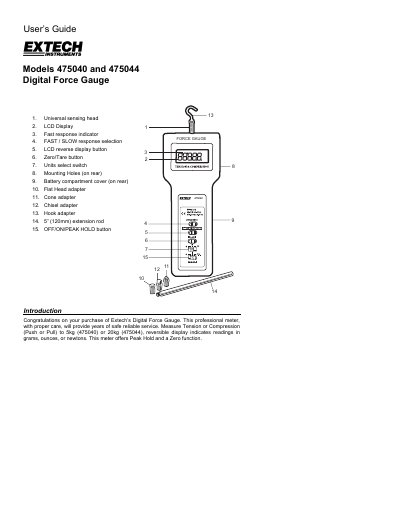
The document provides instructions for using the Extech Digital Force Gauge to measure tension or compression forces. It details how to select units, use adapters, perform zeroing, and utilize peak hold functions. The guide also explains proper measurement angles and response settings.
| Range (475044) | 44 lbs, 20kg, 196 Newtons |
|---|---|
| Range (475040) | 176oz, 5000g, 49 Newtons |
| Accuracy (23°C) | ±(0.5%rdg + 2 digits) for 475044 |
| Power Supply | 6x 1.5V AA batteries or DC 9V adapter |
| Operating Temperature | 0 °C to 50 °C |
The gauge has an overload capacity of 30kg.
Press the FAST/SLOW key to select the desired display update rate.
The low battery indication appears as "LO" on the display when voltage is less than 6.8V.