
This guide provides programming steps and setup codes for the DIRECTV RC71H remote to control TVs, audio accessories, and satellite set‑top boxes.
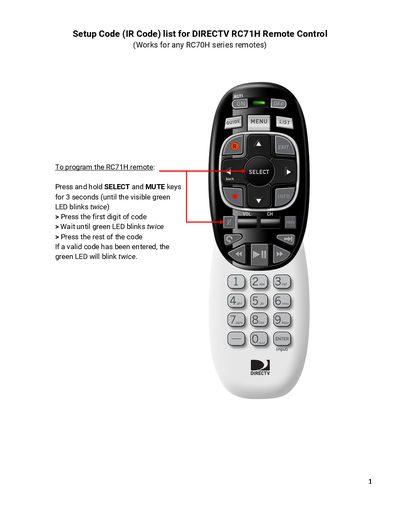
The document explains how to program the DIRECTV RC71H remote. To start programming, press and hold SELECT and MUTE for three seconds until the green LED blinks twice, then enter the first digit of the code followed by the remaining digits.
A comprehensive list of IR codes is provided for audio accessories, satellite set‑top boxes, and a wide range of television brands, allowing the remote to control many devices from different manufacturers.
| Remote type | IR remote control |
|---|---|
| Programming button combination | Press and hold SELECT and MUTE for 3 seconds |
| LED indicator | Green LED blinks twice |
Hold SELECT and MUTE for three seconds until the green LED blinks twice, then press the first digit of the code, wait for the LED to blink, and enter the remaining digits.