
The D-Link DWR-9214G LTE Router User Manual provides installation, configuration, Wi-Fi, LAN, and technical specification details for the 4G LTE router.
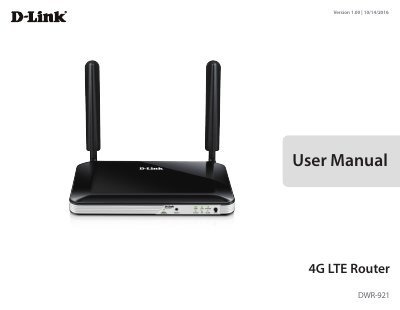
The D-Link DWR-9214G LTE Router lets users access worldwide mobile broadband networks and share a 3G/4G Internet connection through a secure 802.11n wireless network or four 10/100 Ethernet ports. It includes WPA/WPA2 encryption, dual-active firewalls (SPI and NAT), and MAC address filtering.
This user manual covers product overview, package contents, hardware overview, installation, Internet and WAN configuration, Wi-Fi and LAN settings, applications, system administration, troubleshooting, wireless basics, and technical specifications.
| LTE Downlink | Up to 150 Mbps |
|---|---|
| LTE Uplink | Up to 50 Mbps |
| Wi-Fi Data Rate | Up to 300 Mbps with 802.11n clients |
| Dimensions | 190 x 111.5 x 23.5 mm |
| Operating Temperature | 0 to 40 ˚C |
| LAN Ports | Four LAN ports (RJ-45) |
The device uses 2.793 watts in Network Standby mode.
Press the Reset button with an unfolded paperclip and hold it for ten seconds.
It accepts a standard mini-SIM/UICC card for 3G/4G LTE connectivity.
The router has four LAN ports (RJ-45).