
User manual for Creality CR-5, CR-5S, CR-3040, CR-4040, CR-5060 and CR-5080 FDM 3D printers: setup, screen menus, software and first print.
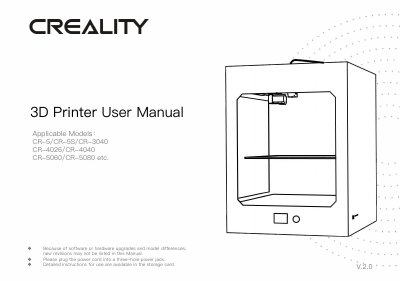
This is the Creality 3D printer user manual (V.2.0, revision date April 24, 2019) for the CR-5, CR-5S, CR-3040, CR-4026, CR-4040, CR-5060 and CR-5080 models, with customized sizes also listed. It opens with basic parameters for each model, safety notes, and the location of the main parts of the remote-extruder and proximal-extruder versions, then walks through the tool list, device installation and the screen menus.
The rest of the manual covers loading filament, bed levelling, software installation with Creality Slicer, printing from a storage card (including two-color printing), and the after-sales service and warranty terms. The document points readers to the storage card and the website www.creality3d.cn for instructions, videos and further software and maintenance information.
| Molding Technology | FDM |
|---|---|
| Molding Size (CR-5/CR-5S) | 300*225*320mm |
| Molding Size (CR-3040) | 300*300*400mm |
| Molding Size (CR-4040) | 400*400*400mm |
| Molding Size (CR-5060) | 500*500*600mm |
| Molding Size (CR-5080) | 500*500*800mm |
| Number of Nozzles | 1 |
| Print Layer Thickness | 0.1mm-0.4mm |
| Nozzle Diameter | 0.4mm |
| Print Precision | ±0.1mm |
| Filament | 1.75mm PLA |
| File Format | STL/OBJ/AMF |
| Printing Method | Online or Storage Card Offline |
| Slicing Software | Creality Slicer/Cura/Repetier-Host/Simplify3D |
| Rated Voltage | 115V/230V 50/60Hz |
| Output Voltage | 24V |
| Rated Power | 230W/250W (CR-5, CR-5S, CR-3040, CR-4040); 800W (CR-5060, CR-5080) |
| Platform Temperature | ≤100℃ (CR-5/CR-5S), ≤75℃ (CR-3040), ≤55℃ (CR-4040) |
| Nozzle Temperature | ≤250℃ |
| Printing Speed | ≤180mm/s, normal 30-60mm/s |
| Operating System | Windows XP/Vista/7/8/10, MAC/Linux |
It uses 1.75mm PLA filament.
STL, OBJ and AMF files.
Creality Slicer, Cura, Repetier-Host or Simplify3D.
The nozzle assembly warranty period is 3 months.
Insert the storage card, push the knob, choose the model file and push the knob to print.