
Key facts
- Manuals
- 1
- Languages
- ZH
- Last added
- 2026-09-29
Featured Creality manuals
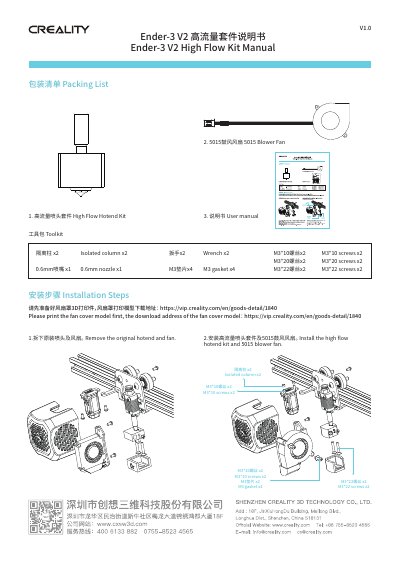
Creality Ender-3 V2 High Flow Kit Installation Manual
This manual provides the packaging list and detailed installation steps for the Ender‑3 V2 High Flow Kit, which adds a high‑flow hotend and a 5015 blower fan to the printer. It also includes a toolkit of required hardware and instructions for preparing a 3D‑printed fan cover.
Users should first print the fan cover using the provided download link, then follow the step‑by‑step procedure to remove the original hotend and fan, install the new components, and secure all hardware with the supplied screws and gaskets. This manual is written in Chinese.
Covers: Packaging List · Installation Steps · Toolkit
Latest Creality manuals
Creality Ender-3 V2 High Flow Kit Installation Manual
Installation Guide 1 pages · 15.2 MB · ZHInstallation guide for the Creality Ender‑3 V2 High Flow Kit, including parts list and step‑by‑step assembly instructions.
Which document do I need?
Installation Guide
Mounting, wiring and first power-up. Read it before the hardware goes in.