
User manual for the Coolmay MX2N‑C series touchscreen PLC integrated unit, covering features, specifications, wiring and programming.
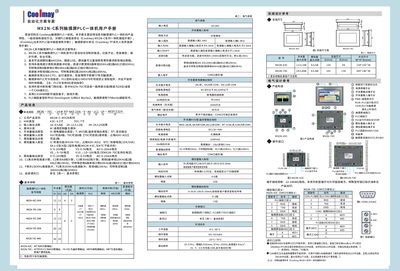
The Coolmay MX2N‑C series touchscreen PLC integrated unit is a compact controller for small‑to‑medium automation tasks. It combines a 32‑bit CPU‑based HMI with PLC logic, offering built‑in I/O, communication ports and optional modules such as weighing or CAN.
Key features include up to six analog input channels with 12‑bit accuracy, high‑speed counting (up to 6 × 10 kHz) and pulse generation (up to 4 × 10 kHz), 24 VDC power supply, and support for GX Developer 8.52 / GXWorks2 programming software. The manual details wiring, parameter settings, EMI protection and safety precautions. This manual is written in Chinese.
| Analog input channels | 6 (12‑bit accuracy) |
|---|---|
| High‑speed counting frequency | 6‑channel single‑phase 10 kHz or 2‑channel AB(Z) 10 kHz |
| High‑speed pulse frequency | 4‑channel 10 kHz |
| CPU | 32‑bit |
| Power supply voltage | DC 24 V |
| Switching output current | 2 A per point, 5 A for 8 points |
The default PLC password is 12345678.
Yes, it supports both external interrupt and watchdog functions.
It is compatible with GX Developer 8.52 and GXWorks2.