
Key facts
- Manuals
- 7
- Languages
- ZH
- Last added
- 2026-10-03
Featured Coolmay manuals
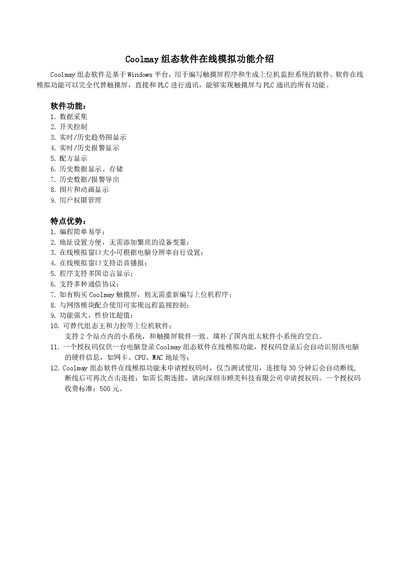
Coolmay SCADA Software Online Simulation User Manual
Coolmay SCADA software is a Windows‑based application for creating touch‑screen programs and supervisory control systems. Its online simulation function can fully replace a physical touch screen, allowing direct communication with PLCs and providing features such as data acquisition, alarm handling, trend charts, recipe management, and user permissions.
The manual details how to compile a screen program, configure the simulation connection (IP set to localhost, COM port selection), and use an authorization code to enable local or remote PLC monitoring. It also covers network setup for LAN and WAN, including virtual port forwarding on routers and remote IP configuration. This manual is written in Chinese.
Covers: Software Overview · Key Features · Installation and Setup · License and Authorization · Local Network Monitoring · Remote Network Monitoring
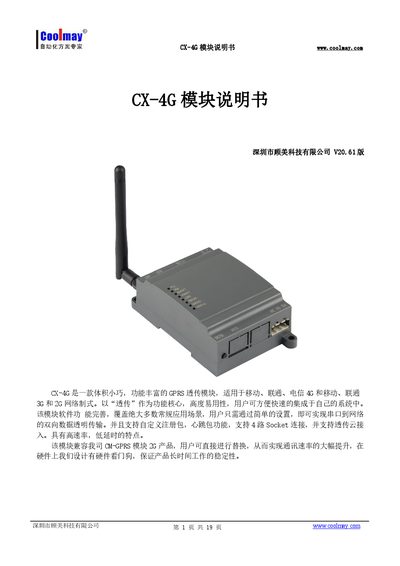
Coolmay CX-4G Module User Manual
The CX-4G is a compact GPRS/4G transparent transmission module that supports 2G/3G/4G networks and up to four simultaneous socket connections. It runs on an embedded Linux system and offers features such as custom registration packets, heartbeat packets, and cloud transmission mode.
The manual provides detailed hardware descriptions, indicator functions, product specifications, serial port settings, and step‑by‑step procedures for network transparent mode, HTTPDClient mode, and virtual serial port configuration, as well as information on an optional lithium‑battery accessory. This manual is written in Chinese.
Covers: Hardware Description · Indicator Light Functions · Features · Product Parameters · Serial Port Parameters · Working Modes
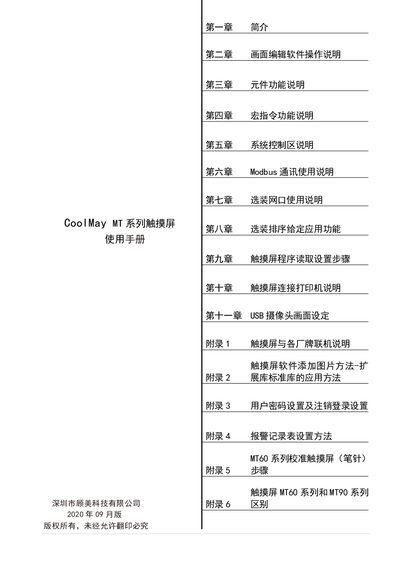
CoolMay MT Series Touch Screen User Manual
This manual introduces the CoolMay MT series human‑machine interface products, describing their hardware specifications, supported PLC brands, and key features such as Modbus communication, macro instructions, and optional Ethernet ports. It also explains how to install the CoolMay HMI software, edit screens, and download programs via USB, U‑disk, or network.
Detailed chapters cover component functions, system control settings, Modbus and Ethernet configuration, printer and USB camera setup, as well as extensive appendices on interfacing with other manufacturers, password management, alarm record tables, calibration procedures, and the differences between the MT60 and MT90 series. This manual is written in Chinese.
Covers: Introduction · Screen Editing Software Operation · Component Function Description · Macro Instruction Function · System Control Area · Modbus Communication
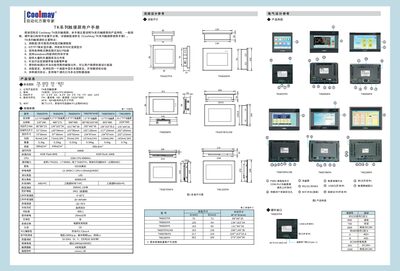
Coolmay TK Series Touch Screen User Manual
The Coolmay TK series touch screens provide high‑resolution TFT displays, resistive touch panels, and support for multiple communication protocols. This manual describes product features, general specifications, hardware interfaces, and software configuration methods.
It also includes installation dimensions, electrical design references, and detailed wiring diagrams for connecting the screens to various PLC brands such as Mitsubishi, Siemens, Omron, and others. Safety precautions and recommended power settings are provided to ensure reliable operation. This manual is written in Chinese.
Covers: 产品信息 · 规格参数 · 安装尺寸 · 硬件接口 · 编程软件 · 通讯协议
Latest Coolmay manuals
Coolmay SCADA Software Online Simulation User Manual
User Manual 7 pages · 442 KB · ZHThe Coolmay SCADA software manual explains the online simulation feature, setup steps, and network configuration for PLC communication.
Coolmay CX-4G Module User Manual
User Manual 19 pages · 1.3 MB · ZHTechnical manual for the Coolmay CX-4G cellular module covering hardware, parameters, and configuration steps.
CoolMay MT Series Touch Screen User Manual
User Manual 234 pages · 22.1 MB · ZHThe CoolMay MT series touch screen user manual provides installation, configuration, and operation instructions for the MT60 and MT90 models.
Coolmay TK Series Touch Screen User Manual
User Manual 2 pages · 2.9 MB · ZHUser manual for Coolmay TK series touch screens covering features, specifications, hardware interfaces, and software setup.
Coolmay CX3G/FX3GC Series PLC Programming Manual
Programming Manual 78 pages · 2.4 MB · ZHThe Coolmay CX3G/FX3GC Series PLC Programming Manual provides detailed programming instructions, function lists, analog handling, high‑speed counters, and…
Coolmay Touch Screen Modbus RTU Protocol Manual
User Manual 9 pages · 662 KB · ZHThis Coolmay touch screen manual explains how to configure Modbus RTU communication as master or slave, covering parameters, function codes, and register…
Coolmay DX2N-B PLC User Manual
User Manual 12 pages · 906 KB · ZHUser manual for the Coolmay DX2N-B series PLC, covering features, hardware, wiring, resources, instruction set and special functions.
Which document do I need?
User Manual
Day-to-day operation, settings and troubleshooting. Start here if the product is already set up.
Programming Manual
Instruction set, parameters and examples for configuring or programming the device.
Questions answered in Coolmay manuals
What happens if I run the software without an authorization code?
The connection will work for testing only and will automatically disconnect after 30 minutes; you can reconnect, but a permanent connection requires purchasing an authorization code.
How many socket connections does the CX-4G module support?
The CX-4G supports four independent socket connections (SocketA, SocketB, SocketC, SocketD).
What is the operating voltage range of the CX-4G module?
It operates from DC5 V up to DC30 V.
Which PLC brands are supported by the CoolMay MT series?
The MT series supports PLCs from Mitsubishi, Omron, Panasonic, Siemens, Modbus RTU/ASCII/TCP, LG, Delta, Fatek, Vigor and other manufacturers.
How do you calibrate an MT60 series touch screen?
Long‑press the crosshair until the calibration prompt appears, then follow the sequence: long‑press center, left‑top, left‑bottom, right‑bottom, right‑top to complete calibration.
What is the recommended power supply voltage for the TK series touch screens?
The recommended power supply voltage is DC 24 V.