
A simplified operation guide for the Casio E820 light-powered watch, covering time setting, calendar adjustment, local time configuration, and reset procedures.
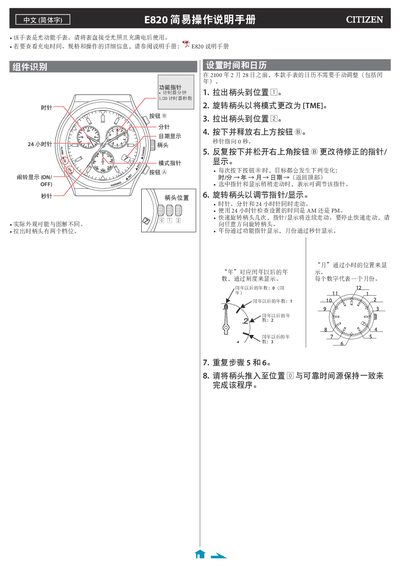
This document serves as a quick reference for operating the Casio E820 light-powered watch. It explains how to set the time and date using the crown and buttons, noting that manual calendar adjustment is not required until after February 28, 2100.
The guide also details procedures for setting local time offsets relative to GMT, checking and correcting the reference position (where hands point to zero), and performing a full factory reset of all settings. This manual is written in Chinese.
The Casio E820 is a light-powered watch that must be exposed to light to charge before use.
The time difference can be adjusted within a range of ±27 hours relative to [TME] time.
At the correct reference position, the hands show 0:00:00, the 24-hour hand points to '24', the date shows '1', and the function pointer shows '.0'.