
The watch is a product of the CASIO brand, with a solar-powered battery that prevents battery depletion. The watch can receive time calibration radio signals and automatically adjust the time. Additionally, the watch has functions such as stopwatch, world time, countdown timer, and alarm.
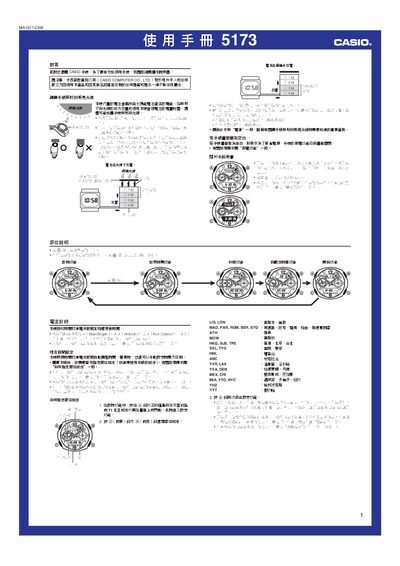
This is the Traditional Chinese user manual for the Casio 5173 watch, which is charged by a solar cell and keeps time by receiving time calibration radio signals. The manual explains how to keep the watch exposed to light, what a blank display means, and how the buttons and displays are laid out.
The main sections describe setting the home city, the difference between automatic and manual signal reception, the stations and frequencies the watch uses, the approximate coverage areas, and troubleshooting when reception fails. This manual is written in Chinese.
| Power source | Built-in battery charged by a solar cell |
|---|---|
| Signal frequency, Anthorn (UK) station | 60.0 kHz |
| Signal frequency, Mainflingen (Germany) station | 77.5 kHz |
| Signal frequency, China station | 68.5 kHz |
| Signal frequency, Fukushima (Japan) station | 40.0 kHz |
| Signal frequency, Fort Collins (USA) station | 60.0 kHz |
| Automatic signal reception | Up to six times per day (five times for the China signal) |
| Signal reception time | 2 to 7 minutes, up to 14 minutes in some cases |
| Coverage distance, Germany/UK stations | 500 km (310 miles) |
| Coverage distance, China station | 1,500 km (910 miles) |
Up to six times per day, or five times when receiving the China time calibration signal. Once reception succeeds, further automatic attempts are not made that day.
Reception normally takes 2 to 7 minutes, but in some cases it can take up to 14 minutes. Do not press buttons or move the watch during reception.
The power-saving function has turned the display off to save power. See the power saving section for details.
In the timekeeping mode, hold the button for about five seconds until the left dial hand points to T1 and the city code flashes, then use the buttons to select the city and exit the setting mode.