
Abbreviated instructions for the Casio 8989 digital watch covering component identification, time setting, calendar adjustment, and dual time function.
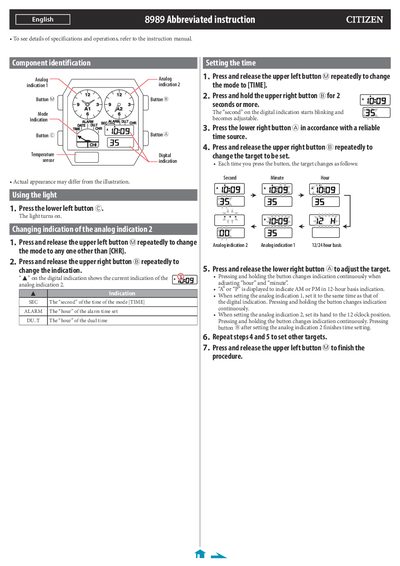
This document serves as an abbreviated instruction guide for the Casio 8989 watch. It details how to identify components such as buttons A, B, C, and M, and explains the operation of the light feature. The manual provides step-by-step procedures for setting the digital time, including adjustments for seconds, minutes, hours, and the 12/24-hour basis.
| Calendar adjustment range | Until December 31, 2099 including leap years |
|---|---|
| Dual time adjustment increment | 10-minute increments |
Press and release the lower left button C to turn the light on.
No, it does not need manual adjustment until December 31, 2099, including leap years.
Press and release buttons A, B, C, and M simultaneously to execute an All Reset.