
The Canon EOS 30D digital SLR camera manual provides operating instructions, specifications, and feature details.
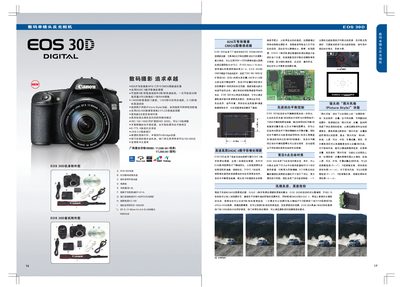
This manual describes the EOS 30D’s key features such as the 8.2‑megapixel APS‑C CMOS sensor, DIGIC II image processor, 5 fps high‑speed continuous shooting, and 9‑point wide‑area autofocus. It also covers menu navigation, white‑balance settings, exposure modes, and the 2.5‑inch 230,000‑pixel LCD monitor.
Additional sections explain battery handling, accessory connections (USB 2.0, PictBridge, external flash), error codes, and recommended shooting techniques. The guide includes specifications, handling tips, and troubleshooting information for photographers of all levels. This manual is written in Chinese.
| Effective Pixels | 8.2 million |
|---|---|
| Sensor Type | APS‑C CMOS |
| Image Resolution | 3504 × 2336 pixels |
| ISO Range | 100‑1600 (expandable to 3200) |
| Maximum Shutter Speed | 1/8000 sec |
| Continuous Shooting Speed | 5 fps (30 JPEG) / 3 fps (low speed) |
| Autofocus Points | 9‑point wide‑area AF |
| Shutter Life Rating | ≥ 100,000 actuations |
The camera can start shooting 0.15 seconds after power‑on.
It can shoot at up to 5 frames per second, capturing up to 30 JPEG images in a single burst.
It uses a 9‑point wide‑area AF system with a central f/2.8 sensor and a cross‑type f/5.6 sensor.
Yes, it supports PictBridge and a dedicated “Print/Share” button for direct printing.