
This manual provides safety instructions, setup, operation, cleaning, specifications, and accessories for the Audio‑Technica ATR2100‑USB cardioid dynamic…
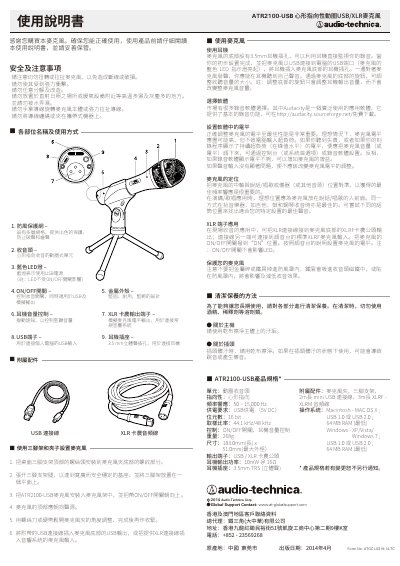
The document explains safety precautions such as avoiding twisting, pulling, strong impacts, water exposure, and disassembly, and it lists the parts of the ATR2100‑USB microphone together with the included accessories (USB cable, microphone clip, tripod stand, and audio cables).\n\nIt then describes how to mount the microphone on a tripod, connect it via USB or XLR, monitor recordings through the 3.5 mm headphone jack, adjust volume with the bottom knob, select recording software (e.g., Audacity), set proper gain levels, and maintain the unit by cleaning with a dry cloth and avoiding solvents. This manual is written in Chinese.
| Frequency response | 50 ~ 15,000 Hz |
|---|---|
| Power supply | USB 5 V DC |
| Bit depth | 16 bit |
| Sample rate | 44.1 kHz / 48 kHz |
| Weight | 268 g |
| Dimensions | 183 mm (L) × 51 mm (max diameter) |
| Output terminals | USB / XLR (Canon) |
| Headphone output power | 10 mW @ 16 Ω |
| Headphone jack | 3.5 mm TRS stereo |
| Included accessories | Microphone clip, tripod stand, 2 m mini‑USB cable, 3 m XLRF‑XLRM audio cable |
Audacity is suggested; it is a free, widely used application that can be downloaded from http://audacity.sourceforge.net/.