
User manual for the Audio‑Technica AT‑HA40USB headphone amplifier, covering specs, connections and OS setup.
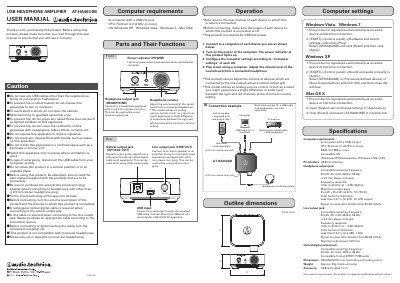
The AT‑HA40USB is a USB‑powered headphone amplifier that connects to a computer via a supplied USB‑C cable and provides headphone, line‑out and optical digital outputs. It supports sampling frequencies of 32 kHz, 44.1 kHz, 48 kHz and 96 kHz and works with Windows XP/Vista/7 and Mac OS X.
The manual includes safety cautions, computer‑configuration steps for each supported OS, connection diagrams, and detailed technical specifications such as frequency response, output level and distortion. All required cables except the USB cable must be purchased separately. This manual is written in Chinese.
| Frequency response | 10 Hz to 40 kHz (‑3 dB, 96 kHz) |
|---|---|
| Maximum output level | 45 mW + 45 mW (32 Ω, 10 % THD) |
| Total harmonic distortion (headphone out) | < 0.07 % (32 Ω, 20 mW) |
| Signal‑to‑noise ratio (headphone out) | > 95 dB (JIS‑A) |
| Total harmonic distortion (line out) | < 0.02 % (0 dBV, 1 kHz) |
| Signal‑to‑noise ratio (line out) | > 98 dB (JIS‑A) |
| Nominal output level (line out) | 0.8 Vrms |
| Dimensions (H × W × D) | 25 mm × 62 mm × 57 mm (excluding protruding parts) |
| Weight | ≈ 55 g (main unit only) |
| USB interface | USB 2.0 (bus‑powered) |
The amplifier works with Windows XP, Windows Vista, Windows 7 and Mac OS X.
Open Control Panel → Hardware and Sound → Sound, select AT‑HA40USB in the Playback tab, then click Reset and Apply.
No, the device is not compatible with monaural headphones.