
This is a user manual for CD Soundmachine, which mainly introduces how to use the functions of the product, including volume adjustment, play and pause, select album, select mode, fast search, etc.
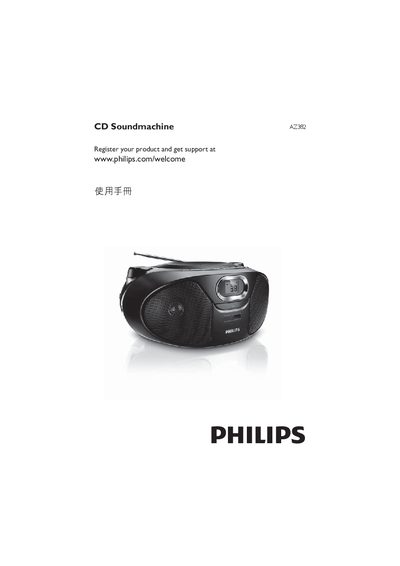
This manual describes the Philips AZ382 CD Soundmachine, including its front, rear, and bottom panel controls, power options, and general operation. It covers radio tuning, CD playback of audio and MP3/WMA discs, track programming, repeat and shuffle modes, and USB mass storage playback.
The document also lists supported disc and USB formats, file system requirements, track and album limits, and safety notes for handling batteries, AC power, and laser radiation. This manual is written in Chinese.
| Model | AZ382 |
|---|---|
| Power source | AC mains or 6 x 1.5 V R-14/UM-2/C-cell batteries |
| Radio bands | MW or FM |
| Supported discs | CD-R, CD-RW, MP3-CD, WMA-CD |
| Program track capacity | Up to 20 tracks |
| USB support | USB flash drives and flash players (USB 2.0 or USB 1.1) |
| File system formats | FAT12, FAT16, FAT32 (cluster size 512 - 65,536 bytes) |
| MP3 bit rate | 32-320 kbps and variable bit rate |
| Maximum tracks | 464 |
| Maximum albums | 40 |
| Line-in jack | External audio input; not for headphone use |
Open the battery cover and install 6 R-14, UM-2, or C-cell batteries according to the +/– polarity marks in the compartment, then close the cover. Batteries are not supplied.
Use the band selector to choose MW or FM, then turn the TUNING control to find stations. For FM, extend and adjust the telescopic antenna; for MW, adjust the position of the unit.
It plays CD-R, CD-RW, and MP3/WMA CDs. CD-ROM, CD-I, CDV, VCD, DVD, and computer discs cannot be played.
Up to 20 tracks can be programmed in any order. From a USB mass storage device, the AZ382 can play up to 464 playable audio files and select up to 40 albums.