
Philips mobile phone user guide, describes the operation methods and functions of the phone, as well as the services provided by Philips Club.
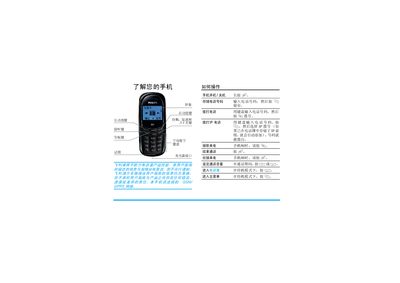
This user guide provides step‑by‑step instructions for first‑time use, including inserting the SIM card, charging the battery, and turning the phone on and off. It also covers calling features such as dialing, answering, ending calls, adjusting volume, and using the phone book.
Additional sections describe text input methods, messaging, call history, settings, scenario modes, accessories, and warranty information. The guide also explains how to access Philips Club online for downloads and services. This manual is written in Chinese.
| Network | GSM / GPRS |
|---|---|
| Battery | Rechargeable |
| Charging connector | Bottom charger interface |
| SIM card | Requires valid GSM SIM |
Press and hold the ) key to power on the phone.
Remove the back cover, align the SIM card with the cut corner, metal contacts down, and slide it fully into the slot.
During a call, press the + or – keys to increase or decrease the volume.
Visit http://www.club.philips.com.cn on a computer or http://wap.philips.com.cn on the phone.