
The Philips SoundBar HTS8140 is a complete home theater solution with integrated speaker, amplifier and DVD player that provides an immersive 5.1 surround sound experience and supports HDMI 1080p, Faroudja DCDi, high speed USB 2.0 connection and EasyLink.
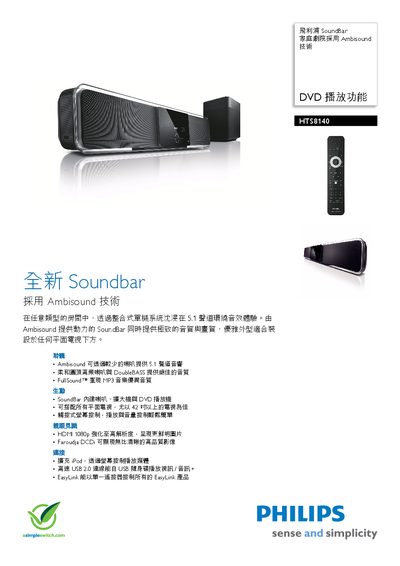
The HTS8140/98 SoundBar is a full‑function home‑theater solution that uses Ambisound technology to deliver 5.1 surround sound with fewer speakers. It integrates built‑in speakers, an amplifier, and a DVD player, and can be placed beneath any flat‑screen TV, especially those 42 inches or larger. The unit offers HDMI 1080p video, Faroudja DCDi image enhancement, a touch‑screen controller, iPod expansion, USB 2.0 connectivity, and EasyLink single‑remote control for multiple devices.
This manual covers the SoundBar’s listening features, video and audio specifications, speaker details, connection options, dimensions, power requirements, and included accessories. It also provides step‑by‑step instructions for installation, operation, and troubleshooting. This manual is written in Chinese.
| Speaker drivers | 2 × 1‑inch dome tweeters, 6 × 2.5‑inch full‑range woofers |
|---|---|
| Speaker impedance | 6 Ω |
| Subwoofer driver | 1 × 6.5‑inch long‑stroke subwoofer |
| Subwoofer impedance | 4 Ω |
| Subwoofer frequency range | 35‑200 Hz |
| Dimensions (W×H×D) | 1047 mm × 174 mm × 154 mm |
| Weight | 8.9 kg |
| Power supply | 100‑240 VAC, 50/60 Hz |
| Standby power consumption | < 0.3 W |
The SoundBar supports Ambisound, Dolby Digital, DTS, Dolby Prologic II, and stereo playback.
Use the expansion slot that comes with the system; the remote control can operate the iPod and display its content on the TV screen.
The HDMI output supports up to 1080p high‑resolution video.
The standby power consumption is less than 0.3 W.