
The document provides step-by-step instructions for upgrading the firmware of the Ricoh CX2 camera. It covers checking the current firmware version, downloading and extracting the firmware files, copying them to an SD memory card, and performing the upgrade.
Two methods for copying firmware to the SD card are described: using a USB connection between the camera and a computer, or using a card reader. The upgrade process is initiated by pressing a button combination on the camera, after which the camera automatically restarts. This manual is written in Chinese.
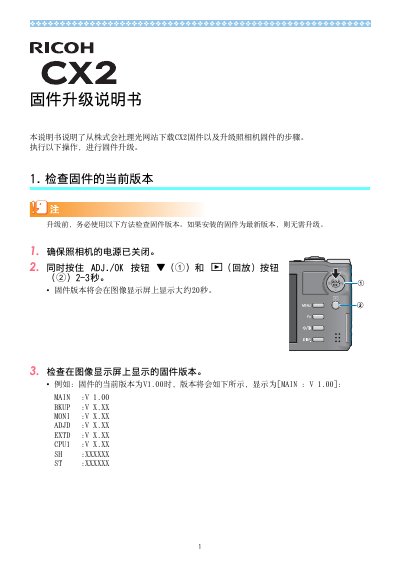
Turn off the camera, then hold the ADJ./OK button and the playback (6) button simultaneously for 2-3 seconds to display the firmware version on the screen.
The upgrade requires two files: hlaunch3 (firmware file) and hlaunch8 (adjustment value file).
Format the SD card in the camera, connect the camera to a computer via USB, then copy hlaunch3 and hlaunch8 to the root directory of the RICOHDCX drive.
If the camera displays '修改文件不正确' and shuts down, verify the camera model and repeat the upgrade with the correct firmware.