
This document is an instruction manual for upgrading the firmware of Ricoh GX200 camera. It explains the steps to check the firmware version, extract the firmware, copy it to an SD memory card, and perform the firmware upgrade by connecting the camera to a computer via a USB cable.
The document provides step‑by‑step instructions for upgrading the firmware of the Ricoh GX200. It covers checking the current firmware version, extracting the downloaded update, copying the files to an SD card, and performing the upgrade on the camera.
Users are guided on how to format the SD card, safely remove the device from the computer, and troubleshoot common issues such as incorrect file modifications or failed upgrades. This manual is written in Chinese.
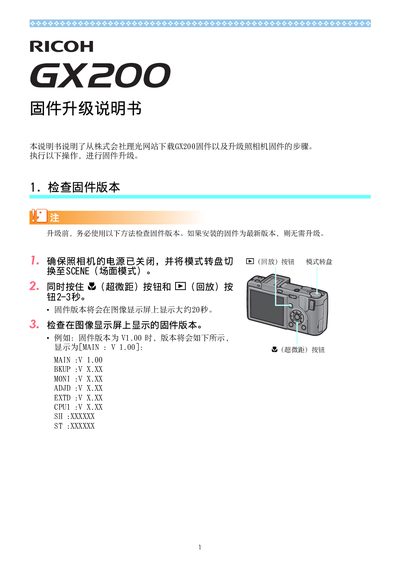
Turn off the camera, set the mode dial to SCENE, then hold the N (macro) button and the 6 (playback) button for 2‑3 seconds; the version appears on the LCD.
Make sure the camera is in SCENE mode, use the correct firmware files, re‑format the SD card, and retry the upgrade.