
This document is an instruction manual for the Casio watch model 5055-1 MO0905-A. The watch uses a solar-powered battery to store energy and needs to be exposed to bright light for charging. The watch has a power-saving function, and the screen will turn blank when the power-saving mode is activated. The watch can receive time calibration radio wave signals to automatically adjust the time. If there are issues with receiving the signals, troubleshooting tips are provided. The document also explains how to manually set the time and date. It includes information on how to specify the local city and the city codes for different cities.
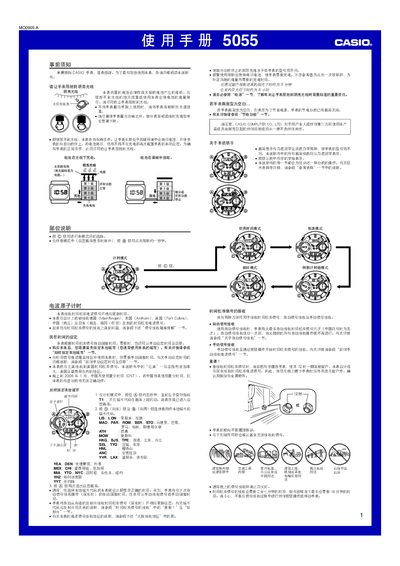
This manual provides step‑by‑step instructions for using the Casio 5055 solar‑powered watch, including how to set time, select city codes, and operate the stopwatch, timer, alarm and world‑time functions. It also covers battery charging, automatic and manual lighting, and power‑saving features.
Additional sections describe signal reception from global atomic clocks, troubleshooting tips for signal loss, and detailed specifications such as accuracy, calendar range, and battery life. This manual is written in Chinese.
| Accuracy | ±15 seconds per month (without signal calibration) |
|---|---|
| Digital time display | hour, minute, second, PM indicator, month, day, weekday |
| Time format | 12‑hour and 24‑hour |
| Calendar range | Full‑auto from 2000 to 2099 |
| Signal frequency – Germany | 77.5 kHz |
| Signal frequency – UK | 60.0 kHz |
| Signal frequency – USA | 60.0 kHz |
| Signal frequency – Japan (Fukushima) | 40.0 kHz |
| Signal frequency – China | 68.5 kHz |
Place the watch on a stable surface with the 12‑o’clock side facing a window, then press and hold the A button for about two seconds until the watch beeps; the display will show READY and the watch will start receiving the signal.
In timing mode, hold the A button about five seconds until the left sub‑dial points to T1 and the city code flashes, then use the D (east) and B (west) buttons to select the desired city code.
In timing mode, hold the B button for roughly three seconds; this toggles the automatic lighting indicator on or off.
Approximately eight hours of exposure to indoor fluorescent light is needed to raise the battery level by one step.