
CASIO watch instruction manual, introduces the functions and features of CASIO watches, usage methods, including timer mode, world time mode, stopwatch mode, countdown timer mode, alarm mode, altimeter mode, barometer/thermometer mode, data query mode, etc.
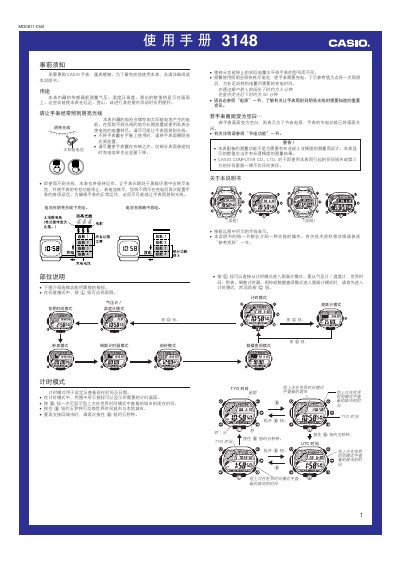
This manual provides step‑by‑step instructions for using the Casio 3148MO0811-CkB watch, including time setting, world‑time cities, alarms, stopwatch, countdown timer, and sensor modes such as altitude, pressure and temperature. It also covers power management, automatic illumination, and safety warnings.
The watch features a solar‑charged battery, pressure‑based altitude measurement, and selectable units for height, pressure and temperature. Detailed procedures are given for configuring settings, calibrating sensors, and managing data records, ensuring reliable performance during hiking, climbing, or other outdoor activities. This manual is written in Chinese.
| Pressure measurement range | 260 hPa to 1,100 hPa |
|---|---|
| Temperature measurement range | -10.0 °C to 60.0 °C (14.0 °F to 140.0 °F) |
| Battery charging time – bright light | ≈5 minutes |
| Battery charging time – indoor fluorescent light | ≈50 minutes |
| Altitude measurement interval (fast) | Every 5 seconds |
In time‑keeping mode, press and hold the L button for about 3 seconds to toggle automatic illumination (A.EL indicator appears or disappears).
Enter altitude mode, then press the A button to switch between the 0'05" (5 seconds) and 2'00" (2 minutes) intervals.
Enter pressure/temperature mode, hold the A button until the OFF or temperature calibration value flashes, then adjust the value with the E (+) and B (‑) buttons.
A blank display indicates the power‑saving function has turned off the screen; simply press any button or expose the watch to bright light to wake it.