
Dell Laptop Setup Guide

The setup guide for the Dell laptop.
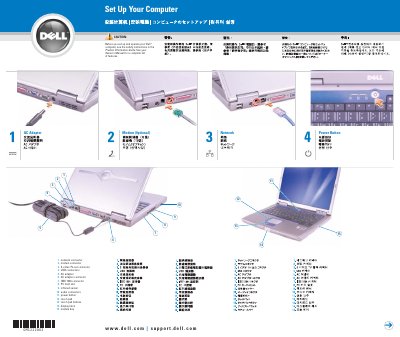

Dell Laptop Setup Guide - cover page
Brand
DELL
Category
Laptops
Document type
Quick Start Guide
Language
English
Pages
2
File format
PDF
File size
1.4 MB
Published
26 November, 2023
Updated
26 November, 2023
MD5 checksum
F52F884D4610A3186B9948DF1C4AEC2D

About this manual

This Dell document is a short setup guide for a Dell computer. It identifies external connectors and controls, then gives steps for joining a wireless network, removing the battery, and finding the Owner's Manual and other help.

It also notes safety information in the Product Information Guide and lists next steps after setup.

What's inside

  • Set Up Your Computer
  • Wireless Network (Optional)
  • Battery Bay
  • Finding Answers
  • What’s Next?

Frequently asked questions

How do I view the Owner's Manual?

Double-click the owner's manual icon on your Windows desktop.

How do I print the Owner's Manual?

After you complete printer setup, double-click the owner's manual icon and click the printer icon in the toolbar.

Where can I find other information about the computer?

Click the Start button and click Help and Support.

Download PDF (1.4 MB)

More DELL Manuals


View all DELL manuals →