
Getting Started Guide for Dell servers, including videos, documentation, and troubleshooting information.
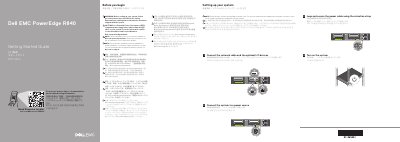
The guide provides setup instructions for the Dell EMC PowerEdge R840 server and points to the Quick Resource Locator at Dell.com/QRL/Server/PER840 for how-to videos, documentation, and troubleshooting information. It includes warnings to follow safety instructions before setup and to use Extended Power Performance (EPP) compliant power supply units.
The setup steps cover connecting the network cable and optional I/O devices, connecting the system to a power source, looping and securing the power cable with the retention strap, and turning on the system. The guide also lists selected technical specifications, including Platinum AC power supply ratings, a 3 V CR2032 lithium coin cell system battery, and a maximum ambient temperature of 35°C/95°F for continuous operation.
| 2400 W power supply | Platinum AC 100–240 V, 50/60 Hz, 16 A |
|---|---|
| 2000 W power supply | Platinum AC 100–240 V, 50/60 Hz, 11.5 A |
| 1600 W power supply | Platinum AC 100–240 V, 50/60 Hz, 10 A |
| 1100 W power supply | Platinum AC 100–240 V, 50/60 Hz, 12 A–6.5 A |
| 750 W power supply | Platinum AC 100–240 V, 50/60 Hz, 10 A–5 A |
| System battery | 3 V CR2032 lithium coin cell |
| Maximum continuous operating temperature | 35°C/95°F |
Follow the safety instructions included in the Safety, Environmental, and Regulatory Information document shipped with the system.
Use Extended Power Performance (EPP) compliant power supply units, indicated by the EPP label.
The documentation set is available at Dell.com/poweredgemanuals, where you should check for the latest updates.
The maximum ambient temperature for continuous operation is 35°C/95°F.