
The Dell Vostro 15 3000 Series Quick Start Guide provides information on how to set up and use your Dell Vostro 15 3000 Series laptop.
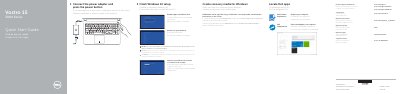
This Dell quick start guide covers the first steps for setting up a Vostro 15 3000 Series computer (computer model Vostro 15-3558/3559). It walks through connecting the power adapter, finishing Windows 10 setup, enabling Support and Protection features, connecting to a network, creating recovery media for Windows, and locating Dell applications such as Dell Product Registration and Dell SupportAssist.
The second page shows the computer's features with numbered callouts, including the microphone, camera, security-cable slot, power button, optical drive, USB 2.0 and USB 3.0 connectors, headset connector, touchpad, speakers, status lights, memory-card reader, VGA connector, network connector, power connector and battery. It also lists the shortcut keys for audio, media playback, display, brightness, sleep and Fn-key lock, plus contact, support and regulatory information. The text is printed in English, Romanian and Slovenian.
| Computer model | Vostro 15-3558/3559 |
|---|---|
| Regulatory model | P52F |
| Regulatory type | P52F001/ P52F003 |
| USB 2.0 ports | USB 2.0 connectors |
| USB 3.0 port | USB 3.0 connector |
| Video connector | VGA connector |
| Optical drive | Optical drive |
| Memory-card reader | Memory-card reader |
Join the wireless network and, when prompted, enter the password for the wireless network access.
In Windows search type Recovery, click Create a recovery media, and follow the instructions on the screen.
Dell lists product support and manuals at Dell.com/support/manuals.
Use the Dell Product Registration app listed under Dell apps to register your computer.