
Dell Latitude 15 3000 Series Notebook Quick Start Guide

Latitude 15 3000 Series Notebook Quick Start Guide.
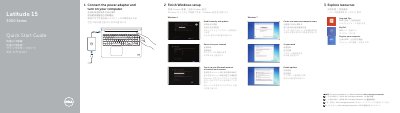

Dell Latitude 15 3000 Series Notebook Quick Start Guide - cover page
Brand
DELL
Document type
Quick Start Guide
Language
Chinese
Pages
2
File format
PDF
File size
295 KB
Published
26 November, 2023
Updated
26 November, 2023
MD5 checksum
1931A6CB2389E4B5E5114FE99A1F03D9

About this manual

This guide helps you set up your Dell Latitude 15 3000 Series notebook quickly. It covers connecting power, setting up Windows, enabling security, connecting to networks, and creating accounts. It also lists all hardware components like cameras, ports, and sensors.

For more details, refer to the Owner’s Manual at dell.com/support/manuals. This manual is written in Chinese.

What's inside

  • Connect the power adapter and turn on your computer
  • Finish Windows setup
  • Enable security and updates
  • Connect to your network
  • Sign in to your Microsoft account or create a local account
  • Create user name and computer name
  • Set password
  • Enable updates
  • Explore resources
  • Features

Frequently asked questions

What is the first step to start using the computer?

Connect the power adapter and turn on your computer.

What should you do after connecting the power?

Finish Windows setup.

How many USB 3.0 connectors does the computer have?

It has 2 USB 3.0 connectors.

Which feature is optional?

The finger print reader is optional.

Download PDF (295 KB)

More DELL Manuals


View all DELL manuals →