
User manual for Dell computers.
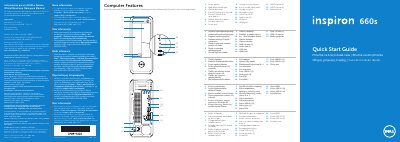
The Dell Inspiron 660s quick start guide provides multilingual setup information and labeled views of the computer's features. It lists the power button, hard-drive activity light, optical-drive bay, front I/O-panel door, security-cable slot, power port, voltage-selector switch, media-card reader, audio ports, VGA and HDMI ports, USB 2.0 and 3.0 ports, and network port.
Setup steps show connecting the power cable, keyboard and mouse, display (VGA to VGA, HDMI to HDMI, or HDMI to DVI), and optional network cable, then pressing the power button. The guide also has spaces to record the Service Tag and Windows password, a step to complete Windows setup, NOM information for Mexico, and Dell support contact details.
| Regulatory model | D06S |
|---|---|
| Regulatory type | D06S001 |
| Input voltage | 100-127 V AC / 200-240 V AC |
| Input frequency | 50 Hz / 60 Hz |
| Input current | 6 A / 3 A |
| Media-card reader | 8-in-1 |
It shows VGA to VGA, HDMI to HDMI, and HDMI to DVI.
Go to dell.com/ContactDell; customers in the United States can call 800-WWW-DELL (800-999-3355).
The regulatory model is D06S and the type is D06S001.
Click Start → All Programs → Dell Help Documentation or go to support.dell.com/manuals.