
Dell EMC XC740xd XC Series Appliance and XC Core System Getting Started Guide
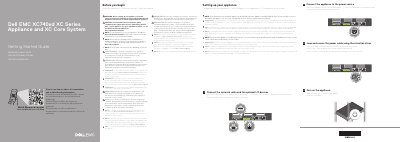
This Dell EMC getting started guide covers initial setup of the XC740xd XC Series Appliance and XC Core System. It describes connecting the network cable and optional I/O devices, connecting the appliance to a power source, looping and securing the power cable with the retention strap, and turning on the appliance. It also notes that the appliance must be installed and secured, that the shipped safety instructions should be followed, and that EPP-compliant PSUs should be used.
The guide also lists technical specifications required by law to ship with the appliance, including 2000 W, 1600 W, 1100 W, and 750 W Platinum/Titanium AC power supply options, a 1100 W DC option, a 3 V CR2032 lithium coin cell battery, and a maximum continuous operating ambient temperature of 40°C/104°F. It notes that certain PSU ratings are derated at low line 100–120 V AC.
| Power supply option: 2000 W Platinum | AC 100–240 V, 50/60 Hz, 11.5 A |
|---|---|
| Power supply option: 1600 W Platinum | AC 200–240 V, 50/60 Hz, 10 A |
| Power supply option: 1100 W Platinum | AC 100–240 V, 50/60 Hz, 12 A–6.5 A |
| Power supply option: 1100 W DC | (-(48–60)) V, 32 A |
| Power supply option: 750 W Platinum | AC 100–240 V, 50/60 Hz, 10 A–5 A |
| Power supply option: 750 W Titanium | AC 200–240 V, 50/60 Hz, 5 A |
| Battery | 3 V CR2032 lithium coin cell |
| Maximum ambient temperature for continuous operation | 40°C/104°F |
| IT power system phase-to-phase voltage | not exceeding 230 V |
Follow the safety instructions in the Safety, Environmental, and Regulatory Information document shipped with the appliance.
Use Extended Power Performance (EPP) compliant power supply units (PSUs), indicated by the EPP label.
Ensure the operating system is installed before installing hardware or software not purchased with the appliance.
The maximum ambient temperature for continuous operation is 40°C/104°F.