
This guide provides initial setup instructions, safety warnings, and technical specifications for the Dell EMC XC640 XC Series Appliance and XC Core System.
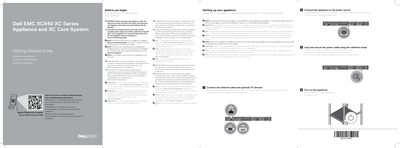
This document serves as a Getting Started Guide for the Dell EMC XC640 XC Series Appliance and XC Core System. It outlines essential safety instructions, such as using Extended Power Performance (EPP) compliant power supply units, and provides a quick resource locator for further documentation and troubleshooting. The guide covers the initial setup process, including securing the power cable, connecting the appliance to a power source, and connecting network cables and optional I/O devices. It notes that specific sections apply only to the XC Series or the XC Core System offering.
| Power Rating (Platinum AC 100-240 V) | 2000 W |
|---|---|
| Power Rating (Platinum AC 200-240 V) | 1600 W |
| Power Rating (Platinum AC 100-240 V) | 1100 W |
| Power Rating (Platinum AC 100-240 V) | 750 W |
| Power Rating (DC 48-60 V) | 1100 W |
| System Battery | 3 V CR2032 lithium coin cell |
| Maximum Ambient Temperature | 40°C/104°F |
See Dell.com/XCSeriesmanuals for a complete and current listing of the specifications.
Use Extended Power Performance (EPP) compliant power supply units, indicated by the EPP label.
The maximum ambient temperature for continuous operation is 40°C/104°F.